
Semiconductor equipment uses several display interfaces because machine architectures vary from compact embedded controllers to industrial computers, inspection workstations, and multi-screen engineering terminals. Common interfaces include LVDS, eDP, MIPI DSI, parallel RGB, HDMI, DisplayPort, DVI, and VGA.
The interface printed on a datasheet, however, is only the beginning of the compatibility review. Two LCD panels that both use LVDS may have different lane arrangements, bit mapping, connectors, pin assignments, supply voltages, timing, backlight requirements, or startup sequences. An HDMI output does not automatically mean that every HDMI display will start correctly with the intended industrial computer.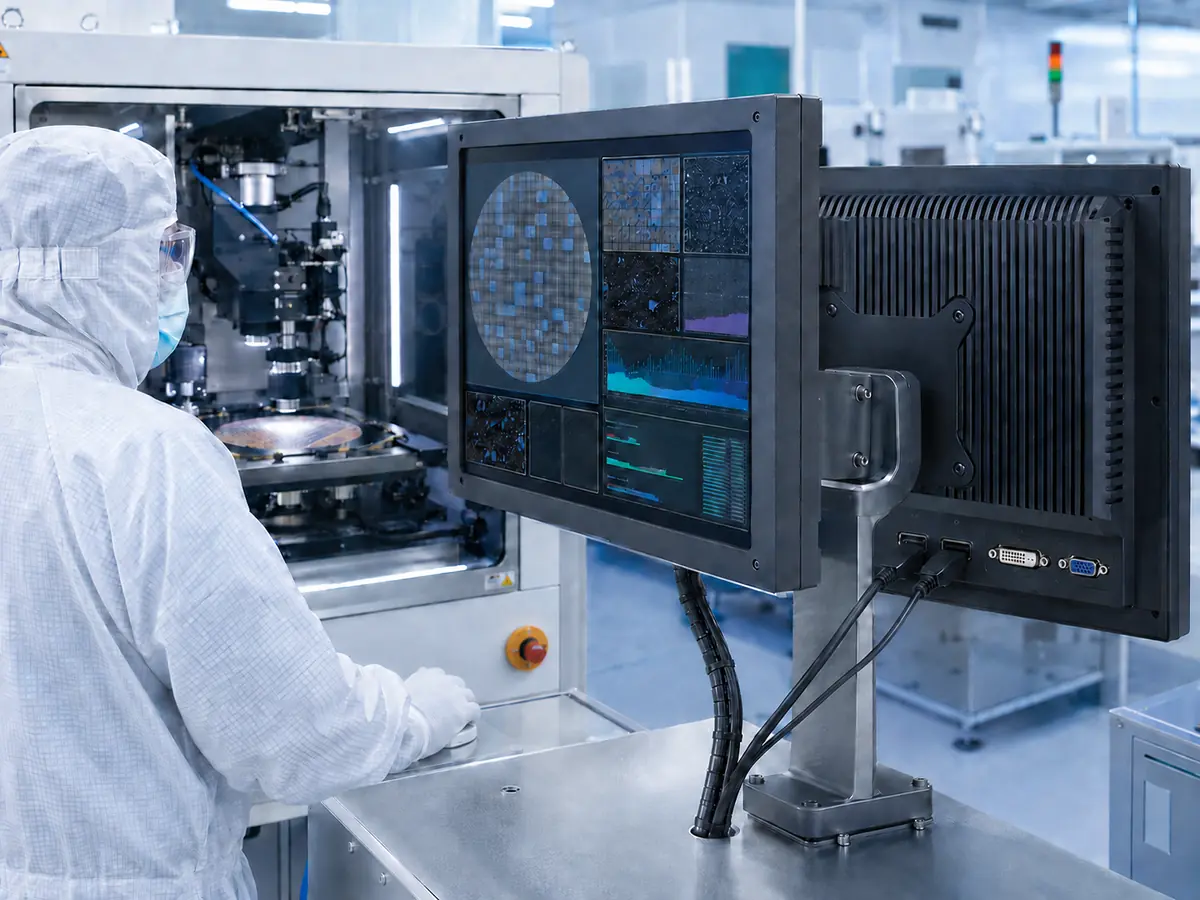
After more than ten years of supporting industrial display projects, we have found that interface problems often appear after a panel has already been selected. The mechanical drawing may fit the equipment, but the host cannot provide the correct signal. A controller board may produce an image during a bench test but fail to recover after sleep, power interruption, or machine startup.
Display-interface selection should therefore be completed together with panel selection, host-board design, software development, cable routing, power design, backlight control, touchscreen integration, EMC planning, and lifecycle management.
Quick Answer: LVDS remains common in established semiconductor equipment and industrial TFT LCDs. eDP is frequently used in newer embedded systems and higher-resolution panels. MIPI DSI and parallel RGB may be used with application processors, system-on-modules, and compact embedded controllers. HDMI and DisplayPort are common when an industrial computer connects to a controller board, open-frame monitor, or inspection display. DVI and VGA remain relevant in legacy equipment. Engineers must verify resolution, timing, lane configuration, connector, pin assignment, voltage, power sequence, cable length, backlight control, software behavior, EMC performance, and long-term availability before approving an interface.
Claim: A display-interface name does not establish compatibility. Reliable semiconductor equipment integration requires the host output, LCD input, controller, cable, power, software, mechanical structure, and operating sequence to be reviewed and tested as one system.
1. What Role Does the Display Interface Play in Semiconductor Equipment?
The display interface carries image information from a host system to the LCD or monitor. Depending on the equipment architecture, the source may be a microcontroller, application processor, FPGA, system-on-module, single-board computer, industrial motherboard, graphics card, or external workstation.
Direct answer: The interface connects the machine’s computing platform with its visual output. It determines how image data reaches the panel, which resolutions and timing formats can be used, how the cable and connector must be designed, whether a separate controller board is required, and how easily the display can be replaced during the equipment lifecycle.
What Is the Difference Between a Native LCD Interface and a Monitor Interface?
A native LCD interface connects directly to the panel electronics. LVDS, eDP, MIPI DSI, and parallel RGB are common examples. These interfaces normally require the host or controller to provide signals that match the exact electrical and timing requirements of the LCD.
A monitor interface connects the host to a complete display system containing a controller board. HDMI, DisplayPort, DVI, and VGA are examples. The controller receives the external signal, processes it, and converts it into the native interface required by the LCD.
A complete monitor can simplify host compatibility, but it adds a controller board, power requirements, connectors, firmware, thermal load, and another component lifecycle to the equipment.
Why Is the Interface Name Insufficient?
An interface family can support multiple implementations. An LVDS panel may use single-channel or dual-channel transmission, different bit mapping, different color depth, and different connectors. An eDP panel may use a different number of lanes, link rate, auxiliary-channel behavior, or panel-power sequence.
The datasheet must be checked for the exact connector, pin definition, signal level, lane arrangement, timing, panel voltage, backlight input, brightness-control method, and sequence requirements. Similar connector shapes do not prove identical wiring.
How Does the Interface Affect Software?
The host must generate a resolution, refresh rate, and timing format that the display can accept. Embedded platforms may require panel timing to be defined in firmware, a device tree, BIOS, graphics settings, or a dedicated driver.
Complete monitors may use display-identification data to communicate supported modes to the host. Engineers should still test startup, resolution detection, orientation, scaling, sleep recovery, and application behavior with the intended operating system and HMI software.
Why Does Interface Selection Affect Equipment Lifecycle?
A display change becomes more complex when the replacement uses a different interface. Moving from LVDS to eDP may require a new host board, conversion board, cable, connector, power sequence, mechanical arrangement, and software configuration.
This relationship is one reason interface strategy should be considered before the enclosure and HMI are frozen. The broader role of displays in local machine control is explained in Why Do Semiconductor Machines Require Industrial LCDs?.
Claim: The display interface is part of the equipment architecture rather than a minor panel specification. It connects the host, software, controller, cable, power design, LCD, and backlight while influencing future replacement and service options.
2. Which Display Interfaces Are Common in Semiconductor Equipment?
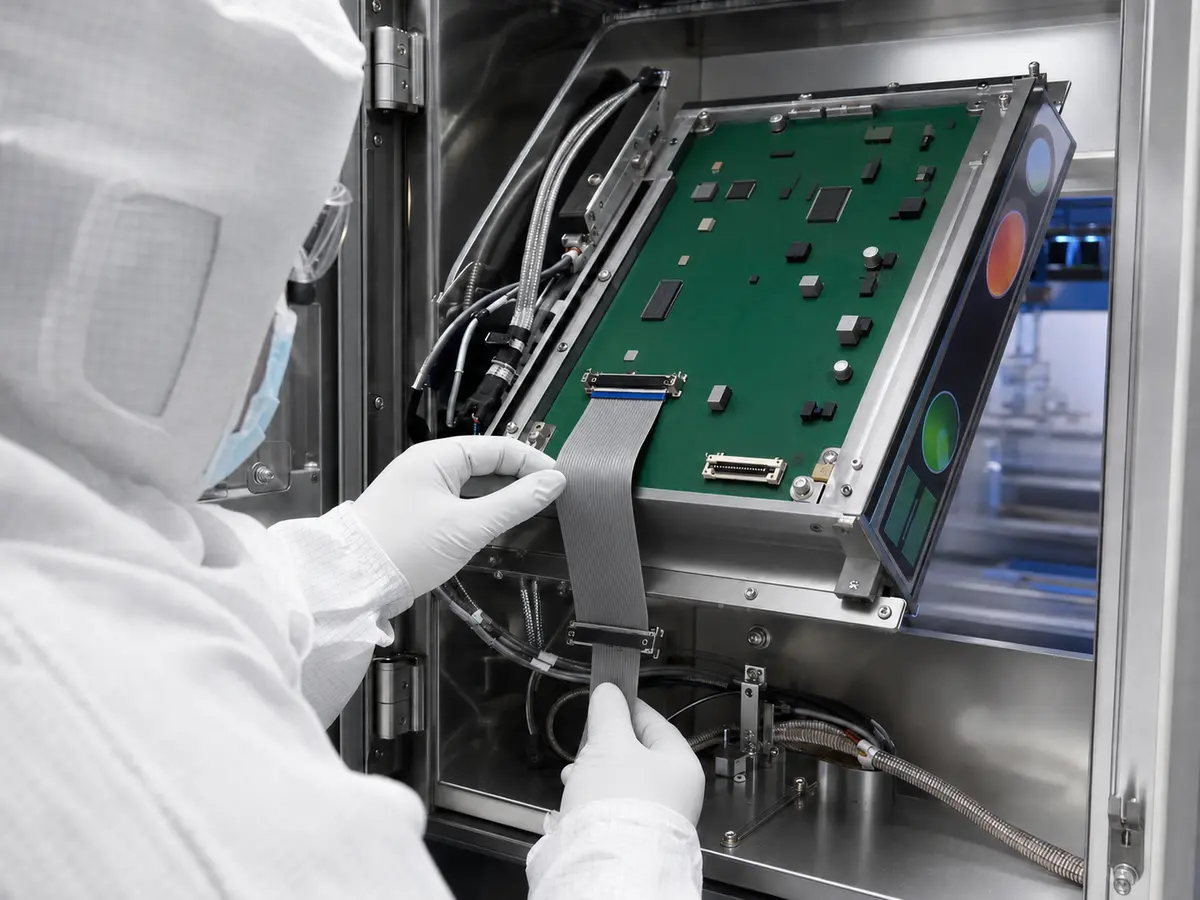
Semiconductor machines can include compact subsystem displays, process-control HMIs, wafer-handling terminals, inspection monitors, and engineering workstations. These functions may require different interface architectures.
Direct answer: LVDS and eDP are common for embedded industrial LCD panels. MIPI DSI and parallel RGB can suit compact processor-based systems. HDMI and DisplayPort are practical for industrial computers, controller boards, and complete monitors. DVI and VGA remain important when supporting established equipment.
When Is LVDS Used?
LVDS is widely used in industrial TFT LCDs and established semiconductor equipment. Many embedded motherboards, industrial computers, and LCD controller boards continue to provide LVDS outputs for display sizes ranging from compact HMIs to medium industrial panels.
Compatibility depends on single-channel or dual-channel operation, lane arrangement, bit mapping, color depth, pixel clock, timing, connector, pin definition, and panel voltage. Backlight power and brightness control are generally handled separately from the image signal.
LVDS remains practical for long-running equipment platforms because many existing host boards and approved panel designs already use it. The availability of a specific LVDS panel, however, must be evaluated at model level rather than assumed from the interface family.
When Is eDP Used?
Embedded DisplayPort, or eDP, is used between a graphics system and an internal display panel. It is increasingly found in newer industrial computers and higher-resolution LCDs.
eDP can transport high-resolution display data through a relatively compact connection. Integration still requires confirmation of lane count, link rate, connector, pin assignment, panel voltage, auxiliary-channel behavior, backlight control, and power sequence.
eDP and LVDS are not directly interchangeable. An equipment platform changing between them normally requires another host output, a suitable conversion design, or a different controller board. Mechanical fit alone cannot make an eDP panel a replacement for an LVDS panel.
When Is MIPI DSI Used?
MIPI DSI is a high-speed serial interface between a host processor and a display module. It is often associated with compact embedded platforms, application processors, and system-on-modules.
MIPI DSI can be useful when the equipment controller already provides a compatible output and the display is located close to the computing platform. Engineers must confirm lane count, physical-layer support, operating mode, command requirements, initialization sequence, timing, voltage, and software support.
The presence of a MIPI DSI connector on a host does not establish universal panel compatibility. Some displays require model-specific initialization commands or integration files that are not available from the general interface description.
When Is Parallel RGB Used?
Parallel RGB, sometimes described as RGB TTL, may be found in small and medium embedded displays. Separate conductors carry color data, timing, clock, and control signals.
This interface can be practical for short internal connections and established microcontroller designs. Its higher conductor count affects connector size, cable structure, routing, and electromagnetic behavior.
Engineers should check data width, voltage level, pixel-clock edge, synchronization signals, timing, color order, and cable length. Two displays described as RGB can use different data widths or control arrangements.
When Are HDMI and DisplayPort Used?
HDMI and DisplayPort are common when the semiconductor machine uses an industrial computer, graphics card, external workstation, or controller board. They allow the host and display to communicate through standardized digital connections without requiring the host to drive the LCD panel directly.
These interfaces are useful for process HMIs, wafer inspection stations, metrology equipment, engineering terminals, and larger monitors. DisplayPort may be selected for high-resolution or multi-display computer architectures, while HDMI is widely supported by industrial computers and LCD controller boards.
Equipment designers should verify the actual resolution, refresh rate, cable length, connector retention, display identification, startup order, hot-plug behavior, sleep recovery, and operation after unexpected power loss. A consumer-style connector may require strain relief, locking hardware, or protected internal placement.
Are DVI and VGA Still Relevant?
DVI remains present in some industrial computers and established equipment. Digital DVI can provide a stable connection when both the host and controller support the required resolution and timing.
VGA is an analog interface found in older machines, controller boards, and service terminals. Image quality can be affected by cable length, interference, clock alignment, resolution, and automatic adjustment.
Removing a legacy interface during an equipment update can create unnecessary redesign work if the original industrial computer must remain in service. A controlled replacement project should identify the existing host capability before a new display is selected.
Is USB-C a Display Interface?
USB-C describes a connector and connection architecture rather than one universal video signal. A USB-C port may carry DisplayPort Alternate Mode, another supported display mode, USB data, or power, depending on the host implementation.
A connector that physically accepts a USB-C cable does not prove that the port provides video. Engineers should confirm the host specification, supported mode, power behavior, adapter requirements, cable capability, and startup performance.
Are Video and Touch Interfaces the Same?
No. The video interface carries image data, while the touchscreen controller sends operator-input coordinates to the host. A display may use LVDS or eDP for video and USB or I²C for touch.
RS-232 or other serial connections may also appear in legacy touch systems. Controller model, firmware, driver, operating-system support, connector, cable, and device identification should be documented separately from the LCD interface.
Touch integration is discussed in How Do Touchscreens Improve Semiconductor Equipment Operation?.
Claim: Semiconductor equipment may use embedded panel interfaces, external monitor interfaces, or both. The correct choice depends on the host architecture, display resolution, internal distance, software, service strategy, and lifecycle rather than the interface’s popularity.
3. How Should Engineers Select a Display Interface?
Interface selection should begin with the host platform and equipment architecture. Selecting an LCD first and attempting to adapt the available signal later can add conversion boards, cable changes, power requirements, software work, and lifecycle risk.
Direct answer: Engineers should select the interface by matching the host output to the LCD or controller input while confirming resolution, timing, bandwidth, connector, pin assignment, voltage, cable length, signal integrity, software support, backlight control, startup behavior, EMC conditions, mechanical space, and expected production lifecycle.
What Should Be Confirmed on the Host Side?
The host specification should identify available display outputs, supported resolutions, maximum pixel clock, lane configuration, color depth, operating-system support, graphics-driver behavior, BIOS or firmware settings, and the number of displays that can operate simultaneously.
For an embedded platform, engineers should confirm whether the intended panel timing can be configured. For an industrial computer, they should test whether the selected output remains active during startup, remote access, sleep recovery, and changes in display connection.
What Should Be Confirmed on the LCD Side?
The LCD datasheet should be reviewed for native resolution, interface type, connector manufacturer and part number, pin definition, lane count, bit mapping, timing range, supply voltage, power sequence, backlight input, brightness control, and recommended cable conditions.
The active area, outline, mounting, temperature range, brightness, viewing angle, and lifecycle must also match the equipment. Interface compatibility cannot compensate for an unsuitable optical or mechanical specification.
These connected requirements are compared in How Do Engineers Select Displays for Semiconductor Machines?.
When Is an LCD Controller Board Required?
A controller board is required when the source interface cannot directly drive the LCD or when the project uses HDMI, DisplayPort, DVI, or VGA input with a native LVDS or eDP panel.
The controller must support the exact panel resolution, timing, native interface, backlight, power requirements, and input source. Firmware should be configured for the selected LCD rather than assumed to be universal.
Controller-board evaluation should include input detection, scaling, image position, color behavior, brightness adjustment, startup, sleep recovery, key controls, power consumption, heat, and long-term availability.
How Do Resolution and Display Size Affect the Interface?
Higher resolution and refresh rate require more data capacity. The host, interface, controller, and cable must all support the intended operating mode.
The LCD should normally be operated at its native resolution to provide clear text, graphics, wafer maps, images, and HMI controls. Scaling a lower-resolution signal can create soft images or incorrect proportions, while unsupported software scaling can make controls physically too small.
Display-size and resolution relationships are explained in What Display Sizes Are Common in Semiconductor Equipment?.
Why Are Cable Length and Routing Important?
Native panel interfaces are normally designed for internal connections. Cable length, conductor arrangement, impedance, shielding, connector quality, bend radius, and routing can affect signal integrity.
Display cables should be separated where practical from motors, pumps, switching power supplies, heaters, inverters, relays, and high-current wiring. The equipment grounding and shielding strategy should include the host, controller, LCD, touchscreen, cable, metal enclosure, and protective earth.
How Should Backlight Control Be Planned?
The video interface and backlight are related but separate parts of the display system. The LCD may require panel power, backlight power, enable control, and a brightness signal.
Brightness may be controlled through PWM, analog voltage, controller commands, or a separate backlight driver. Incorrect voltage, current, frequency, polarity, or startup order can cause unstable brightness, reduced adjustment range, flicker, or failure to illuminate.
How Do Cleanroom and Equipment Conditions Affect the Decision?
The interface must operate inside the completed equipment, where enclosed heat, repeated power cycles, ESD, electromagnetic noise, and long operating periods can differ from laboratory conditions.
Connector access, cable retention, controller placement, service removal, cleaning, and sealing should be considered in the mechanical design. Related environmental requirements are covered in How Do Cleanroom Conditions Affect Semiconductor Equipment Displays?.
Claim: The best interface is the one that matches the host, LCD, software, cable path, power architecture, equipment environment, and service plan with the least uncontrolled conversion. Selection should be based on the complete signal path rather than one connector.
4. How Should Display Interfaces Be Validated and Controlled?
An image displayed during an initial bench test does not complete interface validation. Semiconductor equipment may have complex startup sequences, multiple power domains, electrical noise sources, remote-access functions, and long production cycles.
Direct answer: Engineers should validate the interface with the final host, controller, firmware, cable, power supply, LCD, backlight, touchscreen, enclosure, grounding, operating system, and HMI software. Testing should cover normal operation, startup, power cycling, sleep recovery, thermal conditions, EMC, ESD, cable movement, and abnormal interruption.
What Should Be Checked During the First Bench Test?
The first test should confirm that the panel starts at its native resolution and displays a stable image without flicker, noise, incorrect color, shifted position, missing lines, or intermittent synchronization.
Engineers should test color patterns, grayscale, fine text, HMI pages, captured images, wafer maps, graphs, video input changes, brightness control, and backlight enable. The current, voltage, controller temperature, and panel temperature should be monitored where relevant.
Which Startup and Recovery Conditions Should Be Tested?
Testing should include cold startup, warm restart, repeated power cycling, host-first startup, display-first startup, simultaneous startup, sleep and wake, cable reconnection, software restart, and recovery after an unexpected power interruption.
A display that works only when devices are powered in a laboratory sequence may not be suitable for an automated machine. Startup and recovery behavior should match the real equipment procedure without requiring manual reconnection.
Why Must Validation Continue Inside the Final Machine?
The installed machine introduces cable routing, enclosure temperature, grounding, switching power supplies, motors, pumps, robots, heaters, sensors, and communication modules that may not be present during a standalone test.
Operate representative subsystems while reviewing the image and touchscreen. Check for flicker, temporary image loss, corrupted data, touch interruption, false input, unstable brightness, and recovery after equipment-state changes.
How Should EMC and ESD Be Evaluated?
The display assembly should be included in the equipment manufacturer’s EMC and ESD qualification plan. Cable shielding, chassis connection, signal grounding, controller placement, protective components, and enclosure design can affect the result.
A compliant panel or controller does not establish compliance of the final machine. Equipment-level testing is required because the complete wiring and operating architecture determine the actual behavior.
What Must Be Recorded After Approval?
The approved configuration should identify the LCD model and revision, host board, BIOS or firmware, operating system, graphics driver, controller-board model and firmware, input interface, native panel interface, cables, connectors, pin assignments, power supply, backlight driver, brightness settings, touchscreen, and software resolution.
Mechanical drawings, cable drawings, controller settings, startup results, EMC results, and equipment-level validation records should remain connected to the approved bill of materials.
How Should Interface Changes Be Managed?
A change to the LCD, controller, firmware, cable, connector, host board, operating system, graphics driver, power supply, or touchscreen can affect interface performance. Relevant changes should pass through an agreed notification, review, and testing process.
When a panel becomes unavailable, the replacement review should compare more than resolution and outline. Interface type, connector, pin definition, timing, voltage, power sequence, backlight, software behavior, cable routing, and lifecycle must also be evaluated.
Long-term replacement planning is discussed in Why Is Long-Term Availability Critical in Semiconductor Manufacturing Equipment?.
Claim: Interface approval requires repeatable operation through the machine’s complete startup, production, maintenance, and recovery cycles. Configuration control must preserve the host, firmware, controller, cables, power, panel, backlight, touchscreen, and software that produced the approved result.
5. What Advantages Does XIANHENG Offer for Display-Interface Projects?
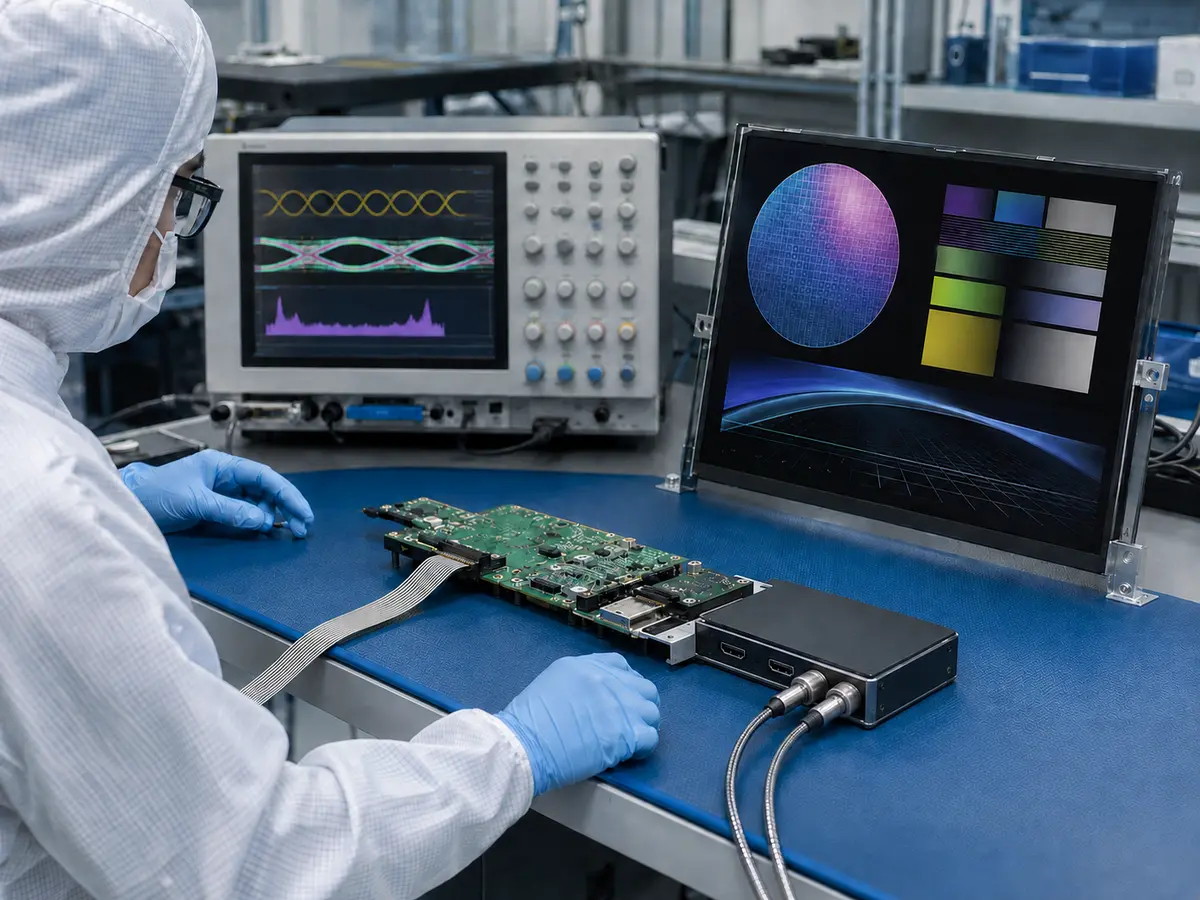
XIANHENG supports industrial display projects for semiconductor processing, wafer handling, inspection, metrology, cleanroom automation, packaging, bonding, and testing equipment. Our work can begin with a selected host board, an original LCD model, an available video output, or a new equipment concept.
Direct answer: XIANHENG can help customers compare LVDS, eDP, MIPI DSI, RGB, HDMI, DisplayPort, DVI, and VGA architectures while coordinating the LCD, controller board, firmware, cables, touchscreen, cover glass, optical bonding, mechanical structure, samples, validation, and lifecycle plan.
How Can XIANHENG Help Select a Compatible LCD?
Our engineers can compare candidate panels according to size, active area, resolution, native interface, connector, pin definition, timing, voltage, backlight, brightness, viewing angle, temperature range, mechanical outline, and product status.
Industrial TFT LCD options from manufacturers such as BOE, AUO, Innolux, and Tianma can be evaluated against the host platform and equipment requirements. Customers can review available models through the Industrial LCD Product Collection.
Can XIANHENG Provide LCD Controller Boards?
XIANHENG can support controller solutions when the host provides HDMI, DisplayPort, DVI, VGA, or another source that must be converted to the panel’s native interface.
The controller can be evaluated according to input signal, LCD resolution, timing, LVDS or eDP output, panel voltage, backlight control, key functions, firmware, operating temperature, mechanical space, and power requirements.
Can Cables and Connectors Be Customized?
Custom cables can be developed according to the host connector, controller, LCD pin definition, available space, cable direction, length, shielding, grounding, retention, and service requirements.
Before production, the pin assignment and voltage should be checked against the controlled drawings. Cable appearance or connector shape should never replace an electrical comparison.
How Can the Touchscreen Be Integrated?
XIANHENG can support projected capacitive or resistive touchscreens with customized cover glass, sensor dimensions, printing, holes, surface treatment, controller interface, firmware, and cables.
The video and touch interfaces can be coordinated within one assembly. Optical bonding is available for projects requiring reduced internal reflection, improved perceived contrast, or elimination of the air gap between the touch layer and LCD.
How Does XIANHENG Support Prototype Validation?
Prototype support can include LCD confirmation, controller configuration, cable preparation, touch-display assembly, drawing review, and initial functional testing. Customers can then evaluate the sample with the final host, software, enclosure, grounding, power, and machine electronics.
If image loss, incorrect timing, unstable brightness, touch interruption, startup failure, or mechanical interference appears, the complete signal and power path can be reviewed instead of replacing parts without evidence.
How Does XIANHENG Support Production and Lifecycle Management?
After approval, XIANHENG can support bill-of-material control, cable and assembly drawings, controller-firmware records, inspection criteria, packaging, production coordination, change communication, replacement comparison, and demand planning.
The broader support process is explained in How Can XIANHENG Support Semiconductor Equipment Manufacturers?.
What Information Should Customers Provide?
For a new project, customers should provide the host-board model, available display output, required size, resolution, brightness, temperature range, touchscreen requirement, operating system, HMI screenshots, mechanical drawing, cable length, available space, quantity, schedule, and expected lifecycle.
For a replacement project, the original LCD model, datasheet, photographs, host output, controller board, cables, connector details, software resolution, touchscreen, cover-glass drawing, and description of the current problem are especially useful.
To discuss an LVDS or eDP panel, MIPI DSI display, HDMI controller board, DisplayPort monitor, legacy interface replacement, or complete semiconductor equipment display assembly, please reach out to XIANHENG.
Claim: XIANHENG supports semiconductor display-interface projects by coordinating industrial LCD selection, native panel interfaces, controller boards, firmware, customized cables, touchscreens, cover glass, optical bonding, prototype validation, production control, replacement evaluation, and lifecycle planning.


