
Industrial robots can execute repeatable motion without watching a screen, but the people who install, teach, supervise, maintain, and recover the system still need a dependable local interface. An industrial robot display presents status, production data, motion programs, alarms, maintenance information, camera images, and authorized control functions where technicians can act on them.
A standard office monitor may show the same software, but that does not make it suitable for a production robot. Robotic equipment combines continuous operation, servo drives, motor noise, repeated power cycles, vibration, restricted installation space, long service periods, and carefully controlled machine configurations. The display must work as part of that equipment architecture.
After more than ten years of supporting industrial display projects, we have found that successful robot HMIs are developed as complete subsystems. The LCD, touchscreen, cover glass, controller, interface, cables, power supply, enclosure, software, validation plan, and replacement strategy should be reviewed together.
Quick Answer: Industrial robots need industrial LCD displays because operators and service engineers require a stable local interface for teaching positions, selecting programs, monitoring production, reviewing alarms, inspecting images, adjusting authorized parameters, performing maintenance, and recovering equipment. A suitable display must support the required resolution, touch method, viewing conditions, electrical interface, operating environment, mounting structure, continuous-use schedule, and equipment lifecycle. The HMI supports human interaction, while safety functions must remain within the machine’s approved safety architecture.
Claim: An industrial robot display is not an accessory selected after the mechanical design is complete. It is part of the robot’s operating, diagnostic, maintenance, and lifecycle system and should be specified with the host computer, software, touchscreen, enclosure, and electrical environment.
1. What Functions Do Industrial LCD Displays Perform in Robot Systems?
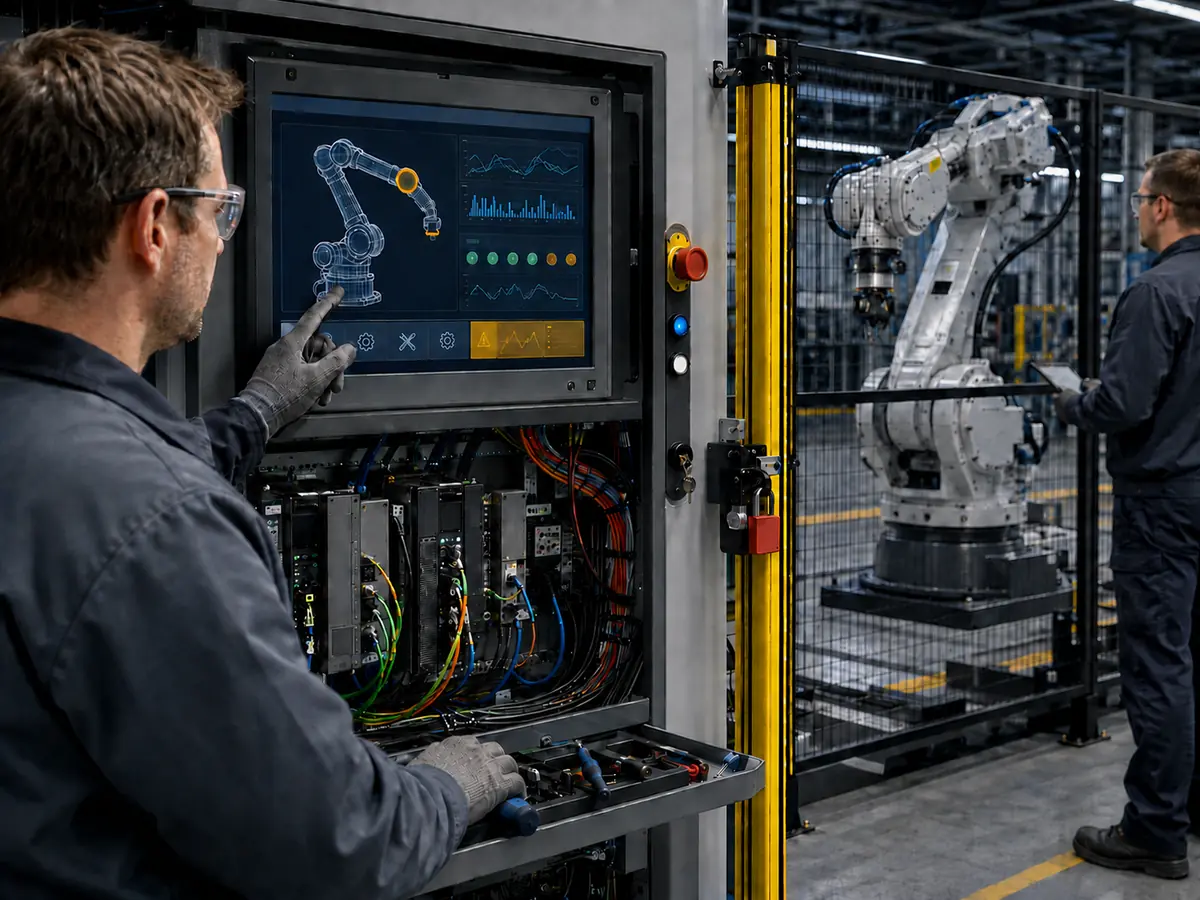
Robot systems range from one arm to integrated cells containing conveyors, cameras, fixtures, safety devices, and process equipment. The robot display gives people a practical view of the system.
Direct answer: Industrial LCD displays provide local access to robot state, operating mode, program selection, position teaching, production counters, process values, alarm history, maintenance pages, diagnostic data, camera images, manuals, and user permissions. Their exact role depends on whether the screen is installed in a teach pendant, robot controller, machine cell, vision station, collaborative robot, or mobile platform.
How Are Displays Used in Robot Teach Pendants?
A teach pendant allows an authorized user to set positions, review coordinates, move the robot under permitted conditions, edit programs, check I/O states, and diagnose faults. Its robot display must present detailed information in a compact handheld or mounted enclosure.
The operator may view joint positions, work frames, speed settings, program steps, variables, messages, and confirmation prompts. Display thickness, touch accuracy, viewing angle, protective glass, weight, cable exit, controls, and service replacement all affect the finished pendant.
What Does a Robot Cell HMI Show?
A robot cell HMI normally presents information for the complete production station rather than one arm. It may show cell status, selected product, cycle stage, part presence, conveyor state, camera result, quality count, tool condition, material level, alarm history, and maintenance access.
Critical protective functions should not depend only on the LCD or touchscreen. Emergency stops, protective stops, interlocks, enabling devices, and other safety functions belong to the approved safety-control architecture. The display can report their state and provide instructions, but a visual control is not automatically a safety-rated control.
How Do Collaborative Robots Use Touchscreens?
Collaborative robot systems often use graphical programming and guided setup to make routine configuration easier. A touchscreen may help users select tasks, define waypoints, configure grippers, review force or speed parameters, monitor production, and follow setup steps.
The interface still needs controlled permissions, clear operating modes, large touch targets, visible active states, and deliberate confirmations. The machine builder remains responsible for the complete application risk assessment and safety design.
Why Do Machine Vision Robot Cells Need High-Quality Displays?
Vision-guided robots may use cameras to locate parts, verify orientation, inspect assemblies, read codes, or guide pick-and-place operations. Engineers need a display that can show live or captured images together with exposure settings, inspection regions, measurement results, and diagnostic overlays.
Resolution, contrast, viewing angle, grayscale behavior, color stability, and correct software scaling affect how efficiently a technician can configure the vision system. The display does not determine camera accuracy, but an unsuitable screen can make setup and troubleshooting more difficult.
Where Are Displays Used on AMRs and AGVs?
Autonomous mobile robots and automated guided vehicles may use onboard displays for mission state, route status, battery level, charging, payload information, network condition, alarms, maintenance, and manual service controls. The screen may also help nearby personnel identify whether the vehicle is waiting, charging, paused, or requesting assistance.
Why Is a Local Display Still Needed When Robots Are Networked?
Supervisory software and remote tools support production reporting and fleet oversight, but they do not remove every local task.
Commissioning, calibration, fault recovery, I/O checking, cleaning, component replacement, and network troubleshooting often require a person beside the robot. A local HMI provides direct access when the production network is unavailable or unsuitable for the task.
Claim: Industrial LCD displays connect robot automation with the people responsible for setup, production, diagnosis, maintenance, and recovery. Their function extends from individual robot teaching to complete cell supervision, vision review, and mobile-robot service.
2. Why Do Robot Systems Require Industrial-Grade Displays?
A robot display may operate for several shifts per day and remain in the same equipment for years. It is installed near industrial electronics and must preserve the validated machine configuration.
Direct answer: Robot systems require industrial-grade displays because their HMIs must tolerate continuous operation, repeated startup, enclosed heat, electrical noise, vibration, cleaning, controlled touch input, fixed mechanical integration, long production programs, and field service. The correct specification depends on the installed environment rather than the word “industrial” in a product description.
Why Does Continuous Operation Matter?
Automated production cells may run through long shifts with only planned interruptions. The LCD, LED backlight, controller board, power circuit, and thermal design must support the real operating schedule.
Engineers should review backlight-life conditions, brightness, temperature, power cycling, ventilation, and expected daily hours. A datasheet lifetime under stated test conditions is not a guaranteed service date for the complete HMI.
Related design considerations are explained in How Do Industrial LCD Screens Handle 24/7 Continuous Operation?.
How Do Servo Drives and Machine Electronics Affect the Display?
Robot cells contain servo drives, motors, switching power supplies, relays, contactors, welding equipment, heaters, cameras, communication modules, and long cable runs. These components can create conducted or radiated electrical noise.
The host, display controller, touchscreen, enclosure, cable shields, signal ground, and protective earth require a reviewed grounding strategy. Cables should be routed away from high-current wiring where practical. A bench test does not demonstrate operation beside active robot drives.
Why Are Vibration and Mechanical Retention Important?
A screen mounted on a fixed control cabinet may experience less movement than one installed on an AMR, pendant, robot base, or machine frame. Even moderate repeated vibration can expose weak connectors, unsupported cables, loose fasteners, and poorly retained controller boards.
The assembly needs suitable mounting, cable support, connector retention, gasket compression, and enclosure reinforcement. Mounting pressure must not distort the LCD or touchscreen.
How Do Lighting and Viewing Position Affect Readability?
Robot HMIs may be viewed while standing, crouching, moving around a cell, or holding a pendant at different angles. Factory lighting, windows, overhead fixtures, and reflective machine surfaces can reduce visibility.
Brightness, contrast, viewing angle, reflection, cover glass, font size, and UI colors should be assessed together. Anti-glare treatment, mounting angle, and optical bonding may improve readability without relying only on higher brightness.
Why Must Touch Operation Match the Work Environment?
Projected capacitive touchscreens can support a flat cover-glass surface, multi-touch, and customized front designs. Resistive touchscreens can provide deliberate pressure-based input and may suit applications that use different gloves or stylus operation.
Selection should reflect the operator, actual gloves, cleaning method, touch targets, glass thickness, contaminants, electrical environment, and software. “Glove operation” must be tested with the intended gloves.
Does an Industrial LCD Provide an IP Rating by Itself?
No. Ingress protection applies to the tested enclosure or assembly, not to an open LCD panel. A sealed front surface may require customized cover glass, a gasket, controlled bonding, enclosure design, cable entry protection, and verified assembly procedures.
The required protection depends on the installed environment. Cleaning chemicals, oil, dust, moisture, and wash procedures should be defined before the front construction is finalized.
Why Is Long-Term Availability Important for Robot Displays?
Robot platforms and automated cells may remain in production long after a consumer display model has changed. Replacing an unavailable LCD can affect the active area, outline, mounting, connector, interface, resolution, brightness, color, backlight, touchscreen, cable, controller firmware, and software layout.
Selection should include product status, supply period, revision control, change notification, annual demand, service demand, and last-buy planning. Any future replacement still requires validation.
Claim: Robot displays require industrial engineering because operating hours, servo noise, vibration, lighting, touch conditions, sealing, fixed integration, and long service periods affect the complete HMI. A consumer display specification rarely addresses this full combination.
3. How Should Engineers Select and Integrate a Robot Display?
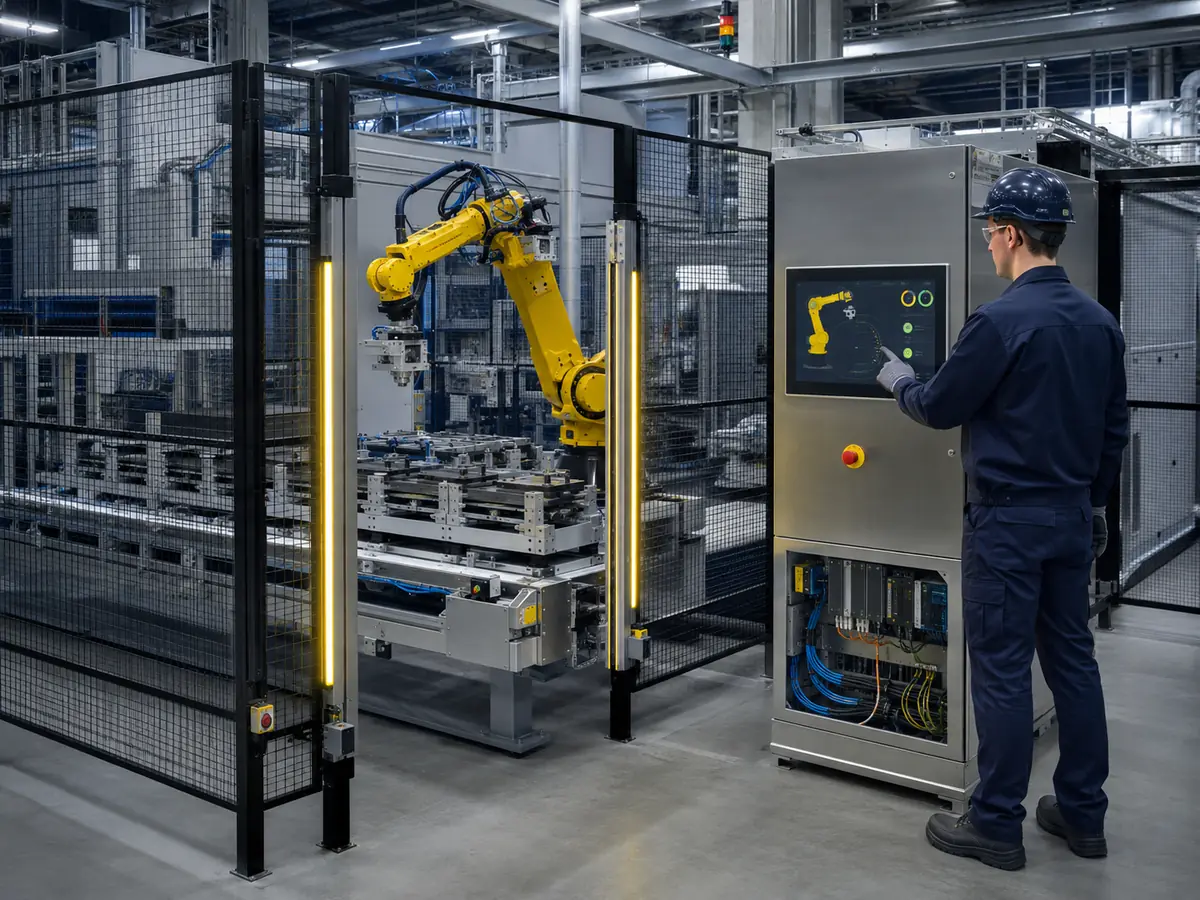
Selection should begin with the application, host platform, HMI workflow, installation position, and lifecycle. Choosing only by diagonal size can create later integration problems.
Direct answer: Engineers should define the application, user, viewing distance, installation position, native resolution, brightness, viewing angle, touch method, gloves, interface, voltage, operating temperature, vibration, enclosure, cleaning, cable routing, software, annual quantity, and service period. Candidate displays should then be compared and tested as complete assemblies.
Which Display Size and Resolution Should Be Used?
Compact screens may suit pendants and mobile robots, medium displays can support controller cabinets, and larger displays may serve multi-robot cells, machine vision, and centralized stations.
The correct size depends on viewing distance, amount of information, smallest touch target, required image detail, available panel area, and service access. Software should normally operate at the LCD’s native resolution. Scaling, rotation, aspect ratio, and language expansion should be checked before the mechanical design is frozen.
How Should Brightness and Optical Performance Be Specified?
Indoor robot cells often need moderate brightness with good contrast and controlled reflections. A mobile robot near loading doors or a pendant used under strong facility lighting may require higher brightness or additional optical treatment.
Review luminance, contrast, viewing angles, surface treatment, cover glass, optical bonding, color needs, and dimming. Optical bonding can reduce internal reflection, but bonding quality, stress, repair, and temperature remain design factors.
Which Video Interface Should Be Selected?
Embedded robot controllers may connect directly to an LCD through LVDS, eDP, MIPI DSI, or parallel RGB. Industrial computers and external controller boards may use HDMI, DisplayPort, DVI, or VGA.
Compatibility requires confirmation of resolution, timing, lanes, bit mapping, connector, pin definition, voltage, power sequence, cable length, backlight control, and firmware. A controller board may be required when host and panel interfaces differ.
How Should the Touchscreen and Cover Glass Be Designed?
The touchscreen design should start with the HMI workflow. Controls must be large enough for the intended finger or glove, and commands with different consequences should be visually and physically separated where appropriate.
Cover-glass customization can define shape, window, border, thickness, holes, edge treatment, coating, and bonding area. Test the touch controller and firmware with the actual LCD, glass, gloves, enclosure, grounding, and cable route.
What Must Be Included in the Mechanical Stack?
The complete stack may include cover glass, touch sensor, adhesive, LCD, frame, gasket, brackets, controller board, cables, fasteners, enclosure, and thermal paths. The drawing should identify the display active area, viewing area, touch area, total thickness, mounting points, connector positions, cable bends, component clearances, and removal path.
Handheld and mobile applications require attention to impact, flexing, weight, edge protection, and connector strain. Fixed HMIs still need controlled mounting pressure and service space.
How Should the HMI Software Be Coordinated with the Display?
HMI development should use the intended physical screen rather than only a desktop simulation. Text size, touch-target dimensions, colors, alarm visibility, navigation depth, confirmation behavior, and image scaling can look different on the installed LCD.
Control scaling, drivers, orientation, touch mapping, startup pages, permissions, sleep settings, and recovery. Automatic, manual, teaching, maintenance, paused, and fault states should be visibly distinct.
How Should Display Functions Relate to Robot Safety?
The robot display can report safety states, access instructions, and guide authorized procedures, but standard LCD and touchscreen functions should not be assumed to perform a safety-rated action. The complete robot cell must use the required safety controller, circuits, devices, software, and validation for the application.
HMI controls should be designed so they do not create ambiguity about machine state or permission. The relationship between industrial displays and safety-related information is discussed in What Role Do Industrial Displays Play in Functional Safety Systems?.
Claim: Robot display selection is a system decision. Size, resolution, optics, touch, interface, mechanical stack, software, safety architecture, and lifecycle must be aligned before samples are approved and production drawings are released.
4. How Should Robot Displays Be Validated and Controlled?
A laboratory image is only an initial check. Robot equipment adds host behavior, motor operation, cable routing, grounding, temperature, vibration, cleaning, and user interaction.
Direct answer: Robot displays should be validated with the final LCD, touchscreen, cover glass, controller, firmware, host computer, cables, power supply, enclosure, grounding, robot software, and representative machine operating conditions. After approval, the complete configuration should remain documented and controlled through production and field service.
What Should Be Checked During Functional Testing?
Testing should cover every important HMI page and operating mode. Engineers should review text, symbols, production data, program lists, coordinates, alarm pages, diagnostic screens, camera images, maintenance instructions, user permissions, and touch alignment.
Touch tests should cover edges, corners, small controls, repeated input, dragging, long presses, gloves, and unintended-input rejection. Image tests should check native resolution, fine lines, grayscale, color, motion, brightness, and expected viewing positions.
Which Startup and Recovery Tests Are Required?
Test cold and warm starts, repeated power cycles, different startup orders, software restart, sleep and wake where used, communication interruption, and unexpected power loss.
The display and touchscreen should return to the correct operating condition without unplugging cables or manually restarting a controller. After a robot or cell stop, the HMI should accurately reflect the resulting state according to the approved control logic.
Why Must Testing Continue with the Robot Operating?
Servo drives, motors, brakes, welding power, pumps, heaters, conveyors, lighting, cameras, and network equipment may create conditions absent from the first bench test. Operate representative subsystems while monitoring the display and touch response.
Check for flicker, temporary image loss, corrupted pixels, unstable brightness, touch interruption, false input, USB reconnection, controller reset, and delayed software response. Equipment-level EMC and ESD testing should follow the manufacturer’s qualification plan and applicable requirements.
How Should Environmental and Mechanical Tests Be Defined?
Testing should reflect the installed location. Relevant evaluations may include high- and low-temperature operation, thermal cycling, humidity, vibration, mechanical shock, cable movement, connector retention, cover-glass impact, seal performance, and repeated cleaning.
Test severity should follow the equipment specification and application risk. A cabinet display, pendant, welding cell, and mobile robot do not experience the same conditions.
What Must Be Controlled for Production?
The approved bill of materials should identify the LCD model and revision, touchscreen sensor, controller IC, firmware, cover-glass drawing, printing, coating, adhesive or bonding structure, display controller, cables, connectors, backlight driver, power supply, brackets, gasket, and assembly method.
Inspection may cover identity, dimensions, connectors, glass, printing, image quality, brightness, touch accuracy, firmware, cable continuity, and packaging. Limits should match the finished assembly.
How Should Changes and Replacements Be Managed?
A change to the LCD, touchscreen, controller, firmware, glass, coating, bonding material, cable, host board, operating system, graphics driver, grounding, enclosure, or software can affect approved performance. Relevant changes should pass through notification, engineering review, and renewed testing when required.
For an obsolete display, compare the active area, outline, mounting, resolution, interface, connector, pin definition, voltage, timing, brightness, viewing angle, backlight, temperature, touch assembly, software mapping, and controller support. A similar diagonal size does not establish interchangeability.
What Records Support Long-Term Service?
Useful records include drawings, datasheets, firmware, controller settings, cable pinouts, host configuration, inspection limits, qualification results, approved samples, change history, demand, and replacement evaluations.
These records connect field problems with the production configuration and support later batches or replacement reviews.
Claim: Robot display approval requires repeatable evidence from the completed equipment, not only panel specifications. Configuration control preserves the exact display, touch, firmware, cables, software, power, grounding, and assembly that produced the validated result.
5. What Advantages Does XIANHENG Offer for Industrial Robot Display Projects?
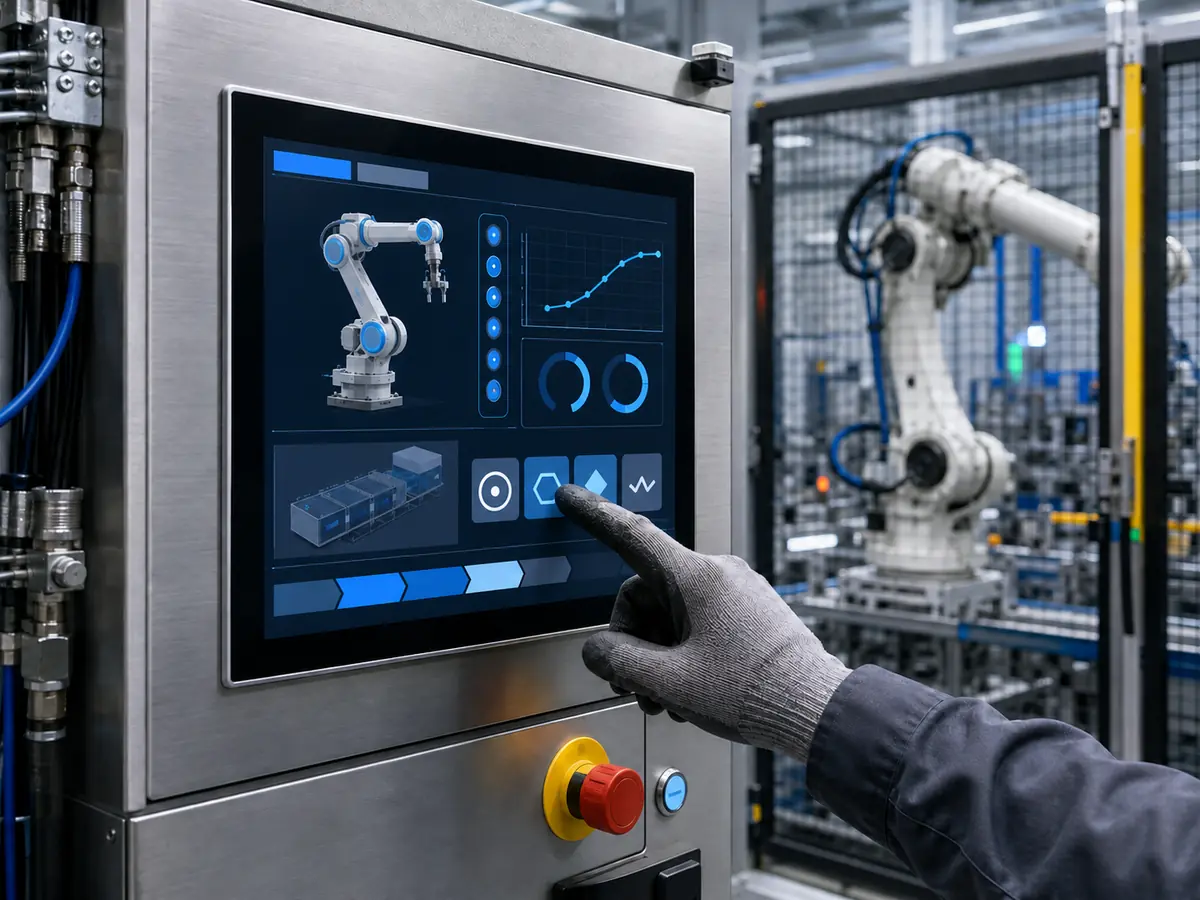
XIANHENG supports display projects for teach pendants, controller cabinets, collaborative robots, machine-tending cells, vision-guided robots, AMRs, AGVs, and automated lines.
Direct answer: XIANHENG combines industrial LCD sourcing with PCAP and resistive touchscreens, customized glass, optical bonding, controllers, firmware, cables, prototypes, production control, replacement evaluation, and lifecycle planning. Customers can review the complete robot HMI as one coordinated project.
How Can XIANHENG Help Select the LCD?
Our engineers can compare candidate LCDs according to active area, outline, resolution, brightness, contrast, viewing angle, interface, connector, pin assignment, voltage, backlight, operating temperature, mounting, product status, and expected supply period.
Customers can review available models through the Industrial LCD Product Collection.
Which Touchscreen Options Can XIANHENG Provide?
XIANHENG can support projected capacitive and resistive touchscreens in different sizes and constructions. PCAP development can include sensor dimensions, controller selection, USB or I²C communication, firmware tuning, glove operation, edge accuracy, cover-glass thickness, and noise evaluation.
Resistive options can support pressure-based input. Selection should follow the HMI workflow, gloves, cleaning, environment, software, and service period.
Can the Cover Glass and Optical Stack Be Customized?
Cover-glass customization can include outer dimensions, thickness, printed border, viewing window, logo, transparent windows, holes, slots, corner shape, edge treatment, and surface options. The design can be coordinated with the touchscreen, enclosure, gasket, controls, and required front appearance.
Air or optical bonding can be provided according to optical, mechanical, environmental, cost, and service requirements.
Can XIANHENG Support Interfaces, Controllers, and Cables?
XIANHENG can review LVDS, eDP, MIPI DSI, RGB, HDMI, DisplayPort, DVI, and VGA display architectures according to the intended host. Controller-board support is available when the host output must be converted to the panel’s native interface.
Custom cables can be developed according to connector, pin definition, voltage, length, shielding, cable direction, available space, grounding, retention, and service access. Firmware and cable drawings should remain linked to the approved LCD and controller configuration.
How Does XIANHENG Support Prototype Development?
Prototype support can include application review, drawing confirmation, LCD sourcing, customized touchscreen and glass, bonding, controller setup, cable preparation, assembly, and initial functional testing.
The customer can test the sample with the intended controller, software, enclosure, power, grounding, servo system, gloves, lighting, cleaning, and operating sequence.
How Does XIANHENG Support Production and Lifecycle Management?
After sample approval, XIANHENG can support bill-of-material control, drawing and firmware records, inspection criteria, packaging, production coordination, change communication, failure analysis, replacement comparison, demand planning, and service requirements.
For replacements, customers can provide the original LCD, datasheet, photographs, controller, cables, touch assembly, drawings, host information, software resolution, demand, and current problem.
What Information Should Customers Provide for a New Project?
Useful inputs include the robot or equipment application, installation position, required size, resolution, brightness, viewing conditions, touch method, gloves, cover-glass drawing, host interface, operating system, controller board, available space, cable direction, temperature range, vibration conditions, cleaning method, annual quantity, project schedule, and expected lifecycle.
To discuss a robot teach-pendant display, collaborative-robot touchscreen, controller-cabinet HMI, machine-vision monitor, AMR display, customized touch assembly, or obsolete robot LCD replacement, please reach out to XIANHENG.
Claim: XIANHENG supports industrial robot display projects by coordinating LCD selection, touch technology, customized cover glass, optical bonding, controllers, firmware, cables, prototype validation, production control, replacement evaluation, and long-term supply planning.


