
A semiconductor equipment display is not purchased only to show an image. It must fit the enclosure, communicate with the host computer, remain readable under facility lighting, respond correctly to gloved input, and support production and field service.
This requirement makes a semiconductor equipment display project different from a standard monitor purchase. The industrial LCD, touchscreen, cover glass, optical structure, controller, cables, mounting, grounding, software resolution, cleaning method, and lifecycle plan influence one another. A decision made for one component can create an unexpected change elsewhere in the machine.
After more than ten years of working with industrial LCD projects, we have found that early technical communication prevents many integration problems. Once the enclosure, cables, and interface are frozen, a small difference in active area, connector position, or touch structure can require redesign.
XIANHENG supports semiconductor equipment manufacturers from the initial requirement review through panel selection, customized touch integration, sample development, equipment testing, mass production, and replacement planning. The objective is to create a documented display assembly that matches the machine rather than to promote the panel with the highest numerical specifications.
Quick Answer: XIANHENG supports semiconductor equipment manufacturers by coordinating industrial TFT LCD selection, projected capacitive or resistive touchscreens, custom cover glass, optical bonding, display controllers, cables, mechanical drawings, prototype samples, validation support, production configuration control, replacement evaluation, and long-term supply planning. Each recommendation is based on the equipment function, host interface, operating environment, operator workflow, mechanical structure, expected quantity, and service lifecycle.
The support process should begin with questions about the finished equipment. What information will operators view? Where will the display be mounted? Which host interface is available? Will operators wear gloves? Which cleaning agents will contact the front? How long will the machine remain in production? These answers form the engineering basis for a reliable recommendation.
Claim: Effective semiconductor display support begins before panel selection and continues through integration, qualification, controlled production, field service, and lifecycle management. The approved product should be the complete display configuration, not an undocumented collection of individual parts.
1. What Display Challenges Do Semiconductor Equipment Manufacturers Face?
Semiconductor machines use displays for different purposes, so one standard configuration cannot serve every project.
Direct answer: The main display challenges are matching the HMI function, host interface, mechanical space, optical conditions, cleanroom-facing construction, touch behavior, thermal environment, electrical noise, maintenance procedure, and long service period.
Why Does the HMI Function Change the Display Requirement?
A compact process module may need a small screen for recipes, alarms, and maintenance. A wafer inspection station may display camera images, wafer maps, defect classifications, and measurement trends. A service terminal may need access to diagnostic pages that are not visible during normal production.
The content determines useful size, aspect ratio, resolution, viewing angle, and touch-control dimensions. Selecting a panel by enclosure opening alone can produce crowded software or an unnecessarily large display.
The operational role of local HMIs is explained in Why Do Semiconductor Machines Require Industrial LCDs?. Inspection applications require additional attention to grayscale, image detail, and viewing consistency, as discussed in How Do LCD Displays Improve Wafer Inspection Systems?.
Why Is Host Compatibility More Complex Than Connector Matching?
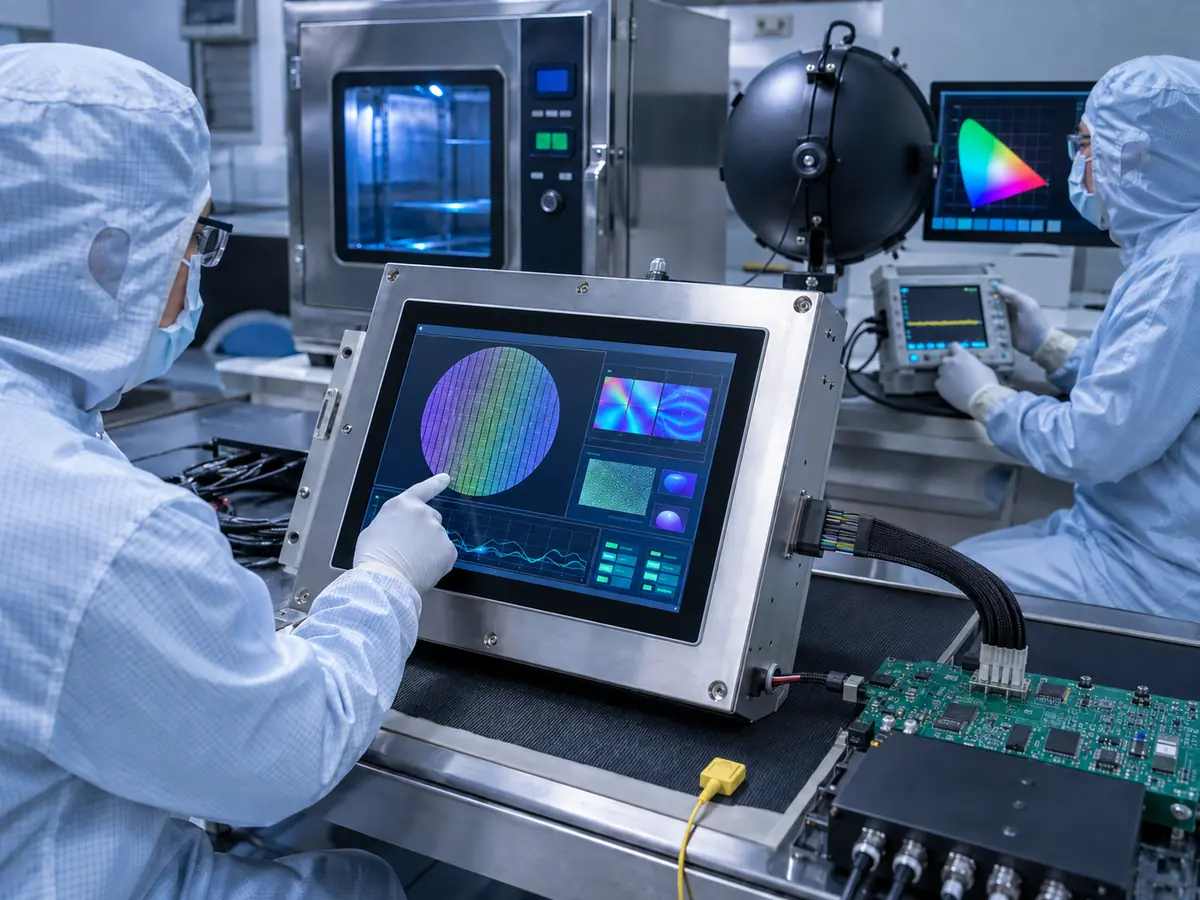
Embedded computers and controller boards may provide LVDS, eDP, MIPI DSI, RGB, HDMI, DisplayPort, DVI, or VGA. Compatibility depends on the signal standard, resolution, timing, lane configuration, voltage, pin assignment, color depth, backlight circuit, and power sequence.
Two panels can use similar connectors and still be incompatible. A replacement may also require a different cable, controller, EDID configuration, or firmware. The host should be identified before the display architecture is finalized.
Why Do Cleanroom-Facing Surfaces Need Special Attention?
A display installed in or near a cleanroom may be wiped frequently and viewed under strong overhead lighting. Operators may use gloves, and the equipment builder may want a smooth front with limited gaps and recesses.
These conditions affect cover glass, surface treatment, sealing, touch sensitivity, adhesives, and mounting. A bare LCD does not provide a cleanroom-facing surface or equipment-level ingress rating.
The complete relationship between the environment and the front assembly is covered in How Do Cleanroom Conditions Affect Semiconductor Equipment Displays?.
Why Can Long Operating Periods Expose Hidden Problems?
Semiconductor machines may operate for long shifts or continuously. The display may remain powered even when an operator is not actively using it. Heat from the industrial computer, power supply, touch controller, and other electronics can raise the panel temperature above the surrounding room temperature.
Short bench tests may miss image retention, controller instability, thermal stress, or intermittent touch errors. Testing must reproduce the enclosure, machine load, grounding, and cable routing.
Why Is Lifecycle Risk an Engineering Problem?
A semiconductor machine can remain in production and service after the original LCD has changed or reached end of life. A new panel with the same diagonal size may have a different outline, active-area position, interface, connector, backlight, viewing direction, or mounting structure.
If custom glass and touch parts were designed only around the original panel, replacement can affect several parts. Lifecycle planning should begin during selection.
Claim: Semiconductor equipment manufacturers face connected optical, electrical, mechanical, environmental, software, and lifecycle challenges. A display supplier should review these conditions as one system rather than treating the LCD, touch panel, cables, and enclosure as separate purchases.
2. What Information Should Be Defined Before Display Selection?
A detailed requirement does not need to contain every final answer. It should provide enough information to identify the major constraints and separate mandatory conditions from preferences.
Direct answer: Manufacturers should define the equipment function, screen content, viewing distance, mounting position, software resolution, host interface, power conditions, touch method, cover-glass structure, operating temperature, cleaning procedure, mechanical envelope, quantity, production schedule, and expected lifecycle.
What Should Be Defined About the User Interface?
Engineers should describe what the screen must show and how operators will use it. Useful information includes the number of software windows, smallest text, image-review area, alarm layout, on-screen keyboard, touch-button size, supported languages, and normal viewing distance.
Existing software may have a fixed resolution and aspect ratio. Moving a legacy 4:3 or 5:4 interface to 16:9 can distort wafer maps and inspection images or reduce the usable touch area.
Which LCD Specifications Should Be Prioritized?
Size and resolution receive the most attention, but engineers should also define the required brightness, contrast, viewing direction, surface treatment, operating temperature, storage temperature, backlight life, color performance, and permitted pixel defects.
The highest specification is not automatically correct. Additional brightness increases heat, high resolution can make controls too small, and excessive anti-glare haze can soften inspection details. Each parameter should solve a real requirement.
A comparison of relevant panel, touch, bonding, and interface choices is available in What Display Technologies Are Used in Semiconductor Equipment?.
What Touchscreen Information Is Required?
The project requirement should state whether the application needs projected capacitive touch, resistive touch, a stylus, multi-touch gestures, operation through thick cover glass, or use with gloves. For gloved operation, the glove material and thickness should be provided for testing.
PCAP performance depends on the sensor, firmware, glass, grounding, enclosure, and power supply. Resistive touch works by pressure but does not provide the same continuous glass front.
Emergency stops, safety interlocks, and other safety-rated functions should remain independent physical controls. The touchscreen is part of the software-controlled HMI and should not become the only access path for a mandatory safety action.
Which Mechanical Details Should Be Shared?
A two-dimensional drawing is usually more useful than a diagonal-size request. It should show the available outline, visible opening, active-area target, glass dimensions, thickness limit, mounting points, connector clearance, cable direction, controller position, and service-removal path.
Enclosure drawings can reveal interference with brackets, doors, cables, or boards. Mounting pressure should remain around the frame and away from the active display area.
Which Environmental and Maintenance Conditions Matter?
Manufacturers should provide the expected temperature inside the enclosure, humidity conditions, vibration, operating duration, ESD and EMC requirements, facility lighting, cleaning chemical, wiping method, glove use, and requested front protection.
Room temperature alone is insufficient because a sealed enclosure can run hotter. Cleaning compatibility should reflect the actual chemical concentration and repeated exposure.
What Commercial and Lifecycle Information Helps Selection?
Estimated quantity, production start, project duration, service period, and target market affect the recommendation. A panel suited to a prototype may not suit equipment requiring years of controlled production and service.
A structured selection checklist is provided in How Do Engineers Select Displays for Semiconductor Machines?.
Claim: A useful display requirement connects the HMI content with the host electronics, operator, enclosure, environment, production plan, and service period. Clear input allows unsuitable options to be removed before samples, tooling, and qualification consume project time.
3. How Can a Display Supplier Support Development and Validation?
Supplier support should convert the equipment requirement into a testable display configuration. This process includes more than sending several panel datasheets. Mechanical, electrical, optical, touch, thermal, and lifecycle compatibility should be reviewed together.
Direct answer: A display supplier can support candidate comparison, interface review, cover-glass and touch drawings, controller and cable definition, prototype assembly, bench testing, installed-equipment validation, failure analysis, and approved-configuration documentation.
How Should Candidate LCDs Be Compared?
Candidate panels should be compared against a controlled requirement table. Important items include active area, outline size, thickness, mounting, resolution, interface, connector, pin definition, power, backlight, brightness, viewing angle, temperature range, surface treatment, backlight life, product status, and manufacturer revision.
The supplier should explain important differences. A controller-based panel and a direct-connected panel create different requirements for cost, space, power, startup, and replacement.
How Can Customized Parts Be Defined Before Tooling?
For a PCAP project, the supplier can prepare drawings for the touch sensor, cover glass, printed border, viewing window, holes, edge treatment, FPC position, cable length, and controller location. The customer should confirm the drawing against the enclosure and active display area before tooling begins.
Optical bonding should be specified as part of the stack, including bonding area, total thickness, cosmetic acceptance, and replacement strategy. Air-bonded assemblies also require a controlled frame and optical gap.
What Should the First Prototype Demonstrate?
The first prototype should demonstrate electrical operation, mechanical fit, optical performance, and touch communication. Engineers should confirm native resolution, timing, image stability, color format, brightness control, startup, sleep recovery, repeated power cycling, touch identification, edge accuracy, gestures, and cable retention.
Test patterns can reveal pixel defects, mura, grayscale problems, and image retention. Final HMI software must also be reviewed for scaling, controls, language expansion, and workflow.
Why Must Validation Continue Inside the Machine?
A display that works on a bench has not yet been approved for the equipment. The final test should use the intended host computer, power supply, controller, cables, enclosure, gasket, cover glass, grounding, and software.
Touch behavior should be checked while motors, lighting systems, switching power supplies, robots, pumps, and communication modules are operating. Thermal measurements should be taken after the equipment reaches a stable operating condition. Reflections should be reviewed from normal operator positions under representative facility lighting.
The test plan may include high- and low-temperature operation, thermal cycling, vibration, ESD, EMC, repeated cleaning, continuous operation, touch endurance, and power interruption. The required levels should follow the equipment specification and customer qualification plan.
How Should Industry Requirements Be Incorporated?
Semiconductor equipment manufacturers may work with customer specifications and voluntary industry standards covering equipment safety, ergonomics, automation, electrical design, and reliability. The official SEMI Standards program provides information about standards used across semiconductor manufacturing.
The supplier should provide relevant component evidence, while the equipment manufacturer qualifies the completed machine. A panel report does not establish equipment-level compliance.
What Should Be Documented After Approval?
The approved record should identify the LCD model and revision, touch sensor, touch-controller model and firmware, cover-glass drawing, bonding structure, display controller, cables, connectors, power conditions, software resolution, mechanical drawing, and validation results.
Any permitted alternatives should be listed explicitly. If a cable, touch IC, controller firmware, polarizer, or panel revision changes, the record should help engineers decide whether review or renewed testing is required.
Claim: Prototype support is successful when it produces a verified and documented display configuration. Sample operation is only the beginning; equipment-level testing must confirm performance under the final electrical, mechanical, thermal, optical, cleaning, and software conditions.
4. How Should Production, Replacement, and Lifecycle Risks Be Controlled?
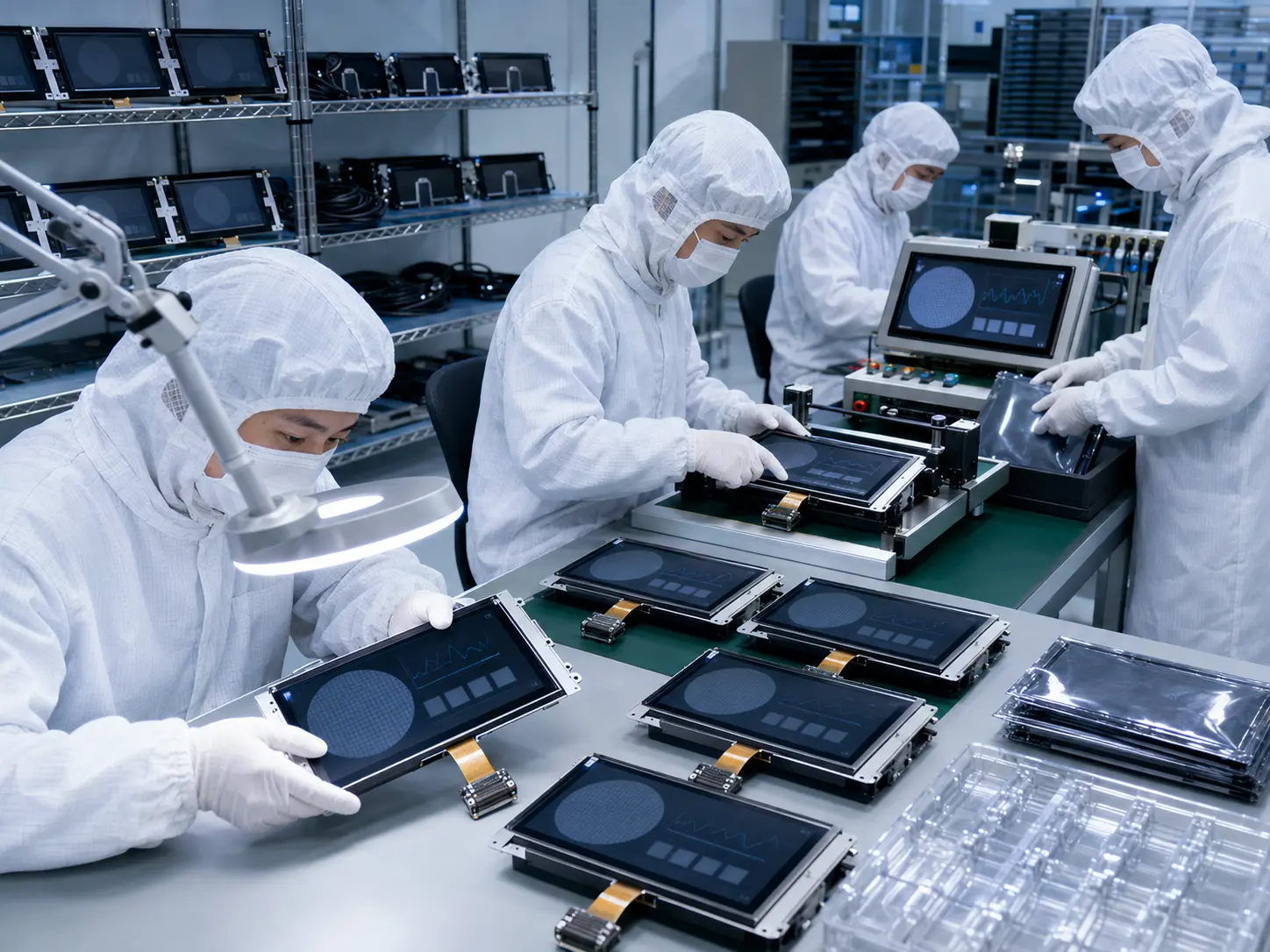
Moving from an approved sample to repeat production introduces new requirements. The manufacturer needs consistent components, controlled revisions, incoming acceptance criteria, packaging, traceability, and a response process for product changes.
Direct answer: Production risk should be controlled through an approved bill of materials, revision records, incoming inspection, component traceability, change communication, demand planning, spare-parts strategy, replacement analysis, and renewed validation when a change affects fit, function, or reliability.
What Should Be Controlled in the Production Configuration?
The production configuration should include every part that can affect performance: LCD model and revision, touchscreen, controller firmware, cover glass, adhesive or bonding material, cables, display controller, backlight settings, fasteners, gasket, and packaging.
Substituting a part because it appears equivalent can create unexpected results. A cable change can affect signal integrity. A new touch-controller firmware can alter glove sensitivity. A different adhesive thickness can change the optical gap or mounting pressure.
How Should Incoming Quality Be Defined?
Incoming inspection should use agreed criteria for model identification, dimensions, cosmetic condition, glass printing, connector position, pixel defects, brightness, image uniformity, touch communication, and packaging condition. Sampling level and inspection method should match the project risk and purchase agreement.
Panel and equipment acceptance criteria may differ. An inspection screen or finished cover glass may require project-specific limits.
How Should Product Changes and End-of-Life Notices Be Managed?
The approved LCD and customized assembly should have a defined change-notification path. Relevant changes may include a panel revision, LED, polarizer, driver IC, production location, touch controller, firmware, adhesive, cable, or glass process.
After an end-of-life notice, review production demand, service demand, last-buy quantity, storage, and replacements. Excess stock without a service forecast can create another risk.
The planning principles are discussed in Why Is Long-Term Availability Critical in Semiconductor Manufacturing Equipment?.
How Should a Replacement Display Be Evaluated?
A replacement review should begin with the original approved configuration. Engineers should compare active area, outline, mounting, resolution, aspect ratio, interface, connector, pin assignment, voltage, timing, backlight, brightness, viewing direction, surface treatment, temperature range, and product status.
The analysis must extend to touch, glass, bonding, cables, controller, software, and enclosure. Electrical compatibility does not prove correct active-area alignment or video timing.
If no true drop-in replacement exists, the supplier should state which parts need to change. A controlled redesign involving a cable or bracket may be more reliable than presenting an inaccurate “compatible” claim.
How Can Service and Spare-Parts Planning Reduce Downtime?
Field replacement strategy should be decided during development. A bonded LCD and cover-glass assembly may provide better optical performance, but it is normally replaced as one unit. A modular design may allow individual parts to be changed, although it can require more assembly control.
Spare parts require antistatic protective packaging. Service instructions should identify the part number, cable routing, fasteners, gasket, cleaning method, touch verification, and software checks.
Why Does Technical Feedback Matter During Production?
A problem investigation needs machine configuration, serial information, photographs, conditions, frequency, and reproduction steps. An isolated panel may not reproduce a thermal, grounding, or cable fault.
A supplier and equipment manufacturer should separate panel defects from integration problems and handling damage. This produces a more useful corrective action and prevents unnecessary component changes.
Claim: Long-term display support depends on controlled configurations, measurable acceptance criteria, traceable changes, realistic demand planning, and engineering-based replacement review. These controls protect both new equipment production and the installed service base.
5. What Advantages Does XIANHENG Offer for Semiconductor Display Projects?
XIANHENG supports display projects for semiconductor processing, inspection, metrology, wafer handling, cleanroom automation, packaging, bonding, and testing equipment. Customers can work with one project contact for the LCD, touchscreen, cover glass, bonding, cables, controller, and replacement evaluation.
Direct answer: XIANHENG combines industrial LCD sourcing with custom touch-display integration, engineering review, prototype coordination, production control, and lifecycle planning. This helps equipment manufacturers evaluate the display as a complete HMI subsystem.
Which Industrial LCD Options Can XIANHENG Provide?
XIANHENG can support industrial TFT LCDs from established manufacturers such as BOE, AUO, Innolux, and Tianma. Available options include TN, VA, IPS-type, ADS, and AHVA panels with different sizes, resolutions, brightness levels, viewing angles, interfaces, surface treatments, and operating-temperature ranges.
We can evaluate compact panels for local controls, established 4:3 and 5:4 formats for legacy equipment, widescreen Full HD options for modern HMIs, and larger high-resolution displays for inspection and engineering stations.
Customers can review available models through the Industrial LCD Product Collection.
How Can XIANHENG Customize the Touchscreen and Cover Glass?
We can provide projected capacitive or resistive touch solutions. Customization can include sensor dimensions, cover-glass outline, thickness, printed border, logo, viewing window, transparent indicator window, holes, edge processing, surface treatment, FPC location, cable length, touch interface, and controller firmware.
For PCAP applications, touch performance can be developed around the selected glass, glove type, grounding, LCD, enclosure, and power environment. Optical bonding is available where the project requires reduced internal reflection, prevention of particles within the optical gap, or a more integrated front assembly.
Which Integration Components Can XIANHENG Support?
Depending on the machine architecture, XIANHENG can support a standalone LCD, TP plus LCM assembly, bonded touch display, customized display and touch cables, controller board, open-frame display, panel-mount monitor, or integrated HMI display assembly.
Our engineers can review interface requirements, connectors, cable direction, power conditions, touch structure, active-area alignment, controller placement, glass drawing, mounting, and available enclosure space before samples are prepared.
How Does XIANHENG Support Each Project Stage?
| Project Stage | XIANHENG Support | Expected Output |
|---|---|---|
| Requirement review | Application, interface, optics, mechanics, touch, environment, and lifecycle review | Defined constraints and candidate direction |
| Component selection | LCD, touchscreen, controller, cable, glass, and bonding recommendation | Proposed display configuration |
| Sample development | Drawing confirmation, customized parts, assembly, and prototype coordination | Testable engineering sample |
| Equipment validation | Support for image, touch, cable, thermal, optical, and mechanical issues | Approved and documented configuration |
| Mass production | Configuration control, inspection criteria, packaging, and delivery coordination | Repeatable production supply |
| Lifecycle support | Change communication, replacement comparison, and demand planning | Lower redesign and service risk |
How Can XIANHENG Support Obsolete-Display Replacement?
Customers can provide the original LCD model, datasheet, photographs, cable information, controller model, touch requirements, mechanical drawings, software resolution, and equipment operating conditions.
We can compare available replacements according to the mechanical, electrical, optical, thermal, software, touch, and lifecycle requirements. If a drop-in option is not available, we can identify the controller, cable, bracket, cover-glass, or software changes that require evaluation.
What Information Should Customers Send for a Recommendation?
For an efficient review, customers should provide the equipment application, required screen size, resolution, host-board model, video interface, brightness, viewing position, operating temperature, touchscreen type, glove requirement, cleaning procedure, mechanical drawing, estimated quantity, production schedule, and expected lifecycle.
If the project is still at an early stage, XIANHENG can begin with the available enclosure, host, software, and application information. Open requirements can then be marked for sample testing instead of being filled with unsupported assumptions.
To discuss a semiconductor machine HMI, wafer inspection display, cleanroom touchscreen, optical-bonded assembly, or obsolete-panel replacement, please reach out to XIANHENG.
Claim: XIANHENG supports semiconductor equipment manufacturers by combining industrial LCD sourcing with touchscreen customization, cover glass, optical bonding, controller and cable support, prototype development, production control, replacement evaluation, and lifecycle planning.


