
Industrial robots depend on precise motion control, but efficient operation also depends on how quickly people can understand and control the system. A well-designed industrial robot touchscreen gives operators, integrators, and maintenance engineers direct access to teaching, program selection, production status, alarms, diagnostics, and service functions.
Touch input does not automatically make a robot easier or safer to use. The benefit comes from coordinating the touchscreen, display, HMI software, user permissions, operating modes, enclosure, electrical environment, and validation plan. A responsive screen with a confusing interface can still create delays and errors, while a clear interface with unstable touch performance cannot support dependable production.
After more than ten years of supporting industrial LCD and touch projects, we have found that successful robot touch interfaces are treated as complete HMI assemblies. The LCD, touch sensor, controller, cover glass, bonding, cables, host computer, firmware, grounding, software, and mechanical structure should be developed and tested together.
Quick Answer: Touchscreens improve industrial robot operation by giving authorized users a direct graphical interface for teaching positions, selecting programs, adjusting permitted parameters, monitoring production, reviewing alarms, checking I/O, viewing camera images, and following maintenance procedures. The touchscreen must match the required gloves, touch targets, cover glass, environment, interface, electrical noise, mounting, cleaning method, and equipment lifecycle. Safety functions must remain within the robot cell’s approved safety architecture.
Claim: An industrial robot touchscreen improves operation only when touch hardware and HMI design support the real user, task, environment, and machine state. Touch performance should be evaluated as part of the completed robot system rather than as an isolated panel feature.
1. What Robot Tasks Can Touchscreens Improve?
A robot HMI may control one arm, supervise a complete work cell, or provide service access on a mobile robot. Touch interaction allows users to select visible objects and functions directly instead of navigating every command through separate keys.
Direct answer: Touchscreens can improve robot teaching, setup, recipe and program selection, status monitoring, alarm response, I/O diagnosis, camera review, maintenance, and local recovery. The improvement comes from faster access to relevant information, clearer operating states, and controls designed around the user’s task and permission level.
How Do Touchscreens Support Robot Teaching?
A teach pendant may present joint coordinates, Cartesian positions, work frames, tool data, program steps, variables, speed settings, and I/O states. Touch controls can help a trained user move between these pages, select fields, enter values, and confirm program changes.
Touch input does not replace the physical enabling device or other required controls on a teach pendant. Jogging and teaching functions must follow the robot manufacturer’s control and safety architecture. The screen should clearly show the selected coordinate system, operating mode, speed condition, active tool, and program state so the user does not act on hidden assumptions.
How Do Touchscreens Simplify Robot Cell Setup?
A robot cell may combine fixtures, conveyors, grippers, cameras, sensors, process equipment, and quality checks. A touchscreen can organize setup into visible steps such as product selection, tool confirmation, fixture status, camera calibration, material loading, and dry-cycle checks.
Guided workflows can reduce unnecessary navigation and help different authorized users follow the same sequence. However, software should not allow a graphical shortcut to bypass required interlocks or confirmations. Each control must correspond to a defined machine function and current operating mode.
How Does Touch Improve Program and Recipe Selection?
Production equipment may handle multiple parts, tools, inspection routines, or packaging formats. A touchscreen can show approved programs or recipes with meaningful identifiers, revision information, preview images, and confirmation prompts.
How Can Operators Monitor Robot Production?
A local robot touchscreen can display cycle state, current operation, part count, reject count, station occupancy, tool condition, material level, camera result, network condition, and maintenance status. Users can move from a summary page to the relevant subsystem without searching through unrelated data.
How Do Touchscreens Improve Alarm Response?
An alarm page can identify the affected station, show the fault time and current state, present permitted checks, and provide access to related I/O or maintenance information. A well-structured HMI helps the technician move from the symptom to the relevant subsystem.
How Do Touchscreens Support Maintenance and Diagnostics?
Maintenance pages may show digital and analog I/O, servo status, communication state, vacuum level, gripper feedback, lubrication intervals, battery condition, temperature, fan state, and component runtime. Touch navigation can give service engineers direct access to the required page while keeping advanced functions away from routine operator screens.
Why Are Touchscreens Useful for Vision-Guided Robots?
A machine-vision station may need image selection, inspection-region adjustment, exposure settings, calibration, threshold review, and result history. Touch interaction can make it easier to select an image region or move between the camera view and related robot data.
How Do AMRs and AGVs Benefit from Touch Interaction?
An onboard touchscreen can provide mission status, route information, battery level, charging state, payload confirmation, network condition, alarms, and maintenance access. It can also support authorized local commands when the vehicle is in the correct service state.
The broader role of the display within these robot systems is explained in Why Do Industrial Robots Need Industrial LCD Displays?.
Claim: Touchscreens improve robot operation by connecting visible information with authorized action. Their value is greatest when the HMI presents the correct task, state, permission, and recovery information without hiding the machine’s actual operating condition.
2. Which Touchscreen Technologies Suit Industrial Robots?
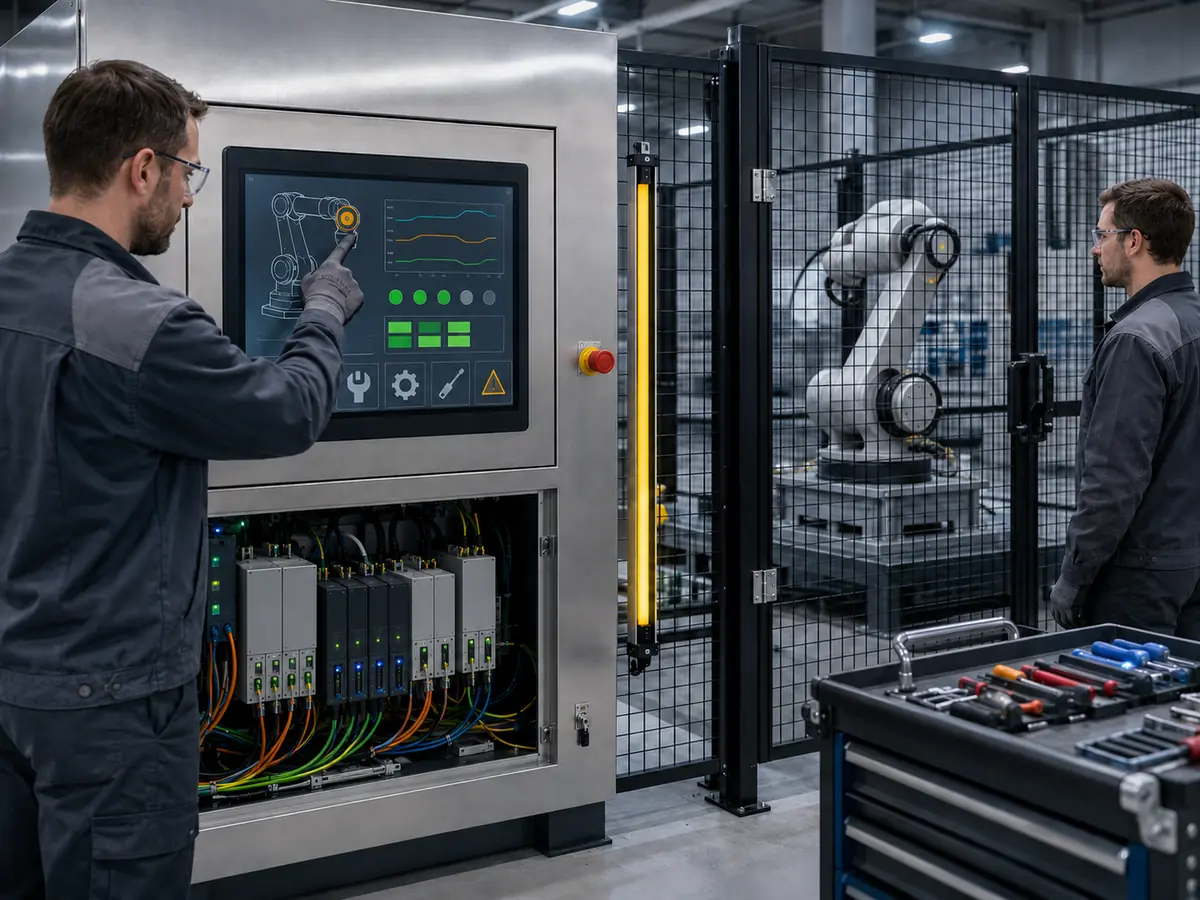
Industrial robot touchscreens do not all use the same sensing method. The correct technology depends on the operator, gloves, required gestures, cover glass, environmental exposure, electrical noise, mechanical structure, and service strategy.
Direct answer: Projected capacitive touch is suitable when the robot HMI needs a flat glass surface, clear optical performance, light touch, multi-touch, and a customized front design. Resistive touch is suitable when deliberate pressure input, broad glove compatibility, or stylus operation is more important. Both require application-specific integration and testing.
When Is Projected Capacitive Touch a Good Choice?
Projected capacitive touch, or PCAP, detects changes in an electrical field. It can support a smooth edge-to-edge cover glass, multi-touch gestures, and a modern graphical interface. The solid front surface can also simplify routine wiping when the enclosure and sealing structure are properly designed.
When Is Resistive Touch a Practical Choice?
Resistive touch responds to physical pressure and can be operated with a bare finger, many gloves, or a suitable stylus. It can suit compact service interfaces, legacy robot equipment, or applications that favor a deliberate single-point input.
Should Engineers Choose Touch Technology by Appearance?
The selection should begin with test conditions and HMI behavior. A practical comparison of the two technologies is available in When Should You Choose PCAP Over Resistive Touch for Industrial Displays?.
How Do Gloves Affect Robot Touch Operation?
“Glove compatible” should therefore name the actual glove type and working condition. Testing should include different finger angles, edge targets, repeated taps, dragging, and realistic contamination. Increasing sensitivity without control can improve glove response while also increasing susceptibility to moisture or electrical noise.
How Can Water, Oil, and Dust Affect Touch Input?
The system should define whether touch must continue during contamination, reject unintended input, or require the surface to be cleaned before operation. This is a software and risk decision as well as a touchscreen specification.
Why Does Electrical Noise Matter in Robot Cells?
Servo drives, motors, inverters, switching power supplies, welding equipment, contactors, communication cables, and poor grounding can disturb touch signals or communication. Possible symptoms include false touches, missed touches, unstable coordinates, delayed response, or controller reconnection.
Common failure mechanisms are reviewed in What Are the Common Touch Failures in Industrial Environments—and How Can Engineers Avoid Them?.
What Touch Interfaces Are Common?
The touch interface is separate from the video interface. A robot HMI may use eDP or LVDS for image data and USB or I²C for touch. Engineers should document the touch-controller model, firmware, driver, operating-system support, device identification, connector, pin definition, voltage, and cable separately from the LCD signal path.
Claim: PCAP and resistive touchscreens can both serve robot equipment, but neither is universally superior. Selection must reflect the actual gloves, gestures, glass, contamination, electrical noise, mechanical structure, software, and service conditions.
3. How Should Engineers Design and Integrate a Robot Touchscreen?
Touchscreen integration should begin before the front panel and HMI layout are frozen. Late selection can force changes to the display opening, glass, brackets, cables, controller, software scaling, and enclosure depth.
Direct answer: Engineers should define the users, tasks, viewing distance, operating modes, gloves, touch targets, gestures, cover glass, sealing, display size, resolution, interface, cable path, grounding, temperature, vibration, cleaning, permissions, and service period. The final touchscreen should then be evaluated with the intended LCD, host, software, enclosure, robot electronics, and production workflow.
How Should the HMI Workflow Be Planned?
Start by separating routine operation from setup, teaching, maintenance, and engineering access. Each role should see the information and controls needed for its task without navigating through unnecessary pages or gaining unintended authority.
Frequently used actions should be easy to locate, while consequential actions should require deliberate input. The software should show when a command has been accepted, when it is pending, and why it is unavailable. A tap should not create uncertainty about whether the machine received the command.
How Large Should Touch Targets Be?
Touch targets must reflect physical screen size, resolution, viewing distance, glove thickness, finger angle, and equipment movement. A control that appears large in a desktop design tool may be too small on a compact pendant.
Critical neighboring functions require sufficient spacing. Edge and corner targets should be tested because cover-glass borders, enclosure geometry, and controller tuning can affect access. Text expansion for different languages should not reduce controls below the approved physical size.
How Should Robot Operating Modes Be Displayed?
Automatic, manual, teaching, maintenance, paused, waiting, warning, and fault states should have consistent visual treatment. The current mode and robot state should remain visible on pages where users can issue commands.
The screen can report safety-related status, but it should not imply that a standard graphical control is a safety-rated device. Emergency stops, enabling devices, protective stops, interlocks, safe motion functions, and other safety measures belong to the approved control architecture. This relationship is discussed further in What Role Do Industrial Displays Play in Functional Safety Systems?.
How Should the Cover Glass Be Designed?
Cover glass can define the visible window, printed border, logo, transparent sensor windows, holes, slots, corners, thickness, and edge treatment. Surface options may address glare, reflection, fingerprints, or chemical exposure.
The glass must be coordinated with the touch sensor, controller tuning, enclosure, gasket, adhesive, mounting controls, and impact requirements. Thicker glass can improve mechanical protection but may require a different sensor or firmware setting. Printing and transparent windows must align with the display active area and any nearby indicators or sensors.
When Is Optical Bonding Useful?
Optical bonding fills the gap between the touch layer and LCD. It can reduce internal reflection, improve perceived contrast, prevent particles from entering the optical gap, and create a more integrated assembly.
The decision should also consider material compatibility, temperature, mechanical stress, repair strategy, production process, cost, and lifecycle. Bonding does not correct insufficient display brightness or poor HMI design, and an approved bonded stack should remain under configuration control.
How Should the Mechanical Stack Be Controlled?
Uneven pressure can create touch dead zones, optical distortion, light leakage, or damage to the LCD. Pendant and mobile-robot applications also require attention to flexing, impact, cable strain, vibration, weight, and handling.
How Should Cables, Grounding, and Power Be Planned?
The touch cable should be routed away from servo, motor, inverter, heater, relay, and high-current wiring where practical. Shielding and grounding should be reviewed across the host, touch controller, LCD, display controller, metal enclosure, and protective earth.
How Should Touch Mapping and Software Be Configured?
The touch coordinate system must match the display orientation, resolution, scaling, and active monitor. Rotated screens, multiple displays, operating-system scaling, remote access, or replacement controllers can change the mapping.
Claim: A reliable robot touchscreen is created by aligning human factors, HMI software, touch technology, cover glass, mechanical mounting, signal interfaces, power, grounding, cables, and service access. Late-stage touch selection increases the risk of redesign and unstable operation.
4. How Should Robot Touchscreens Be Validated and Controlled?
A touchscreen that responds during an initial bench test has not completed qualification. Robot cells add servo noise, different users, gloves, vibration, enclosed heat, cleaning, software states, and repeated startup conditions.
Direct answer: Robot touchscreens should be tested with the final LCD, controller, firmware, glass, bonding, host, drivers, cables, power, enclosure, grounding, HMI software, gloves, cleaning conditions, and operating robot electronics. Validation should cover normal use, edge cases, startup, recovery, environmental stress, EMC, ESD, mechanical conditions, and unintended-input behavior.
What Should Be Included in Functional Touch Testing?
Test every important screen, user role, operating mode, and authorized command. Input checks should include tapping, repeated tapping, dragging, long presses, numeric entry, list selection, edge and corner controls, pop-up confirmation, and navigation under representative production conditions.
How Should Unintended Input Be Evaluated?
Robot HMIs may experience accidental contact from a hand, clothing, tools, cleaning cloths, cables, or nearby work. Liquids and electrical noise can also create abnormal signals in some PCAP systems.
Which Startup and Recovery Conditions Should Be Tested?
Test cold startup, warm restart, repeated power cycling, host-first startup, display-first startup, simultaneous startup, software restart, communication interruption, sleep and wake where used, cable reconnection, and unexpected power loss.
Why Must Testing Continue with the Robot Operating?
Operate representative servo drives, motors, brakes, pumps, conveyors, welding systems, heaters, cameras, lights, and communication modules while monitoring touch performance. Conditions that are stable on a quiet workbench may change when the complete cell is active.
Check for missed touch, ghost touch, coordinate movement, delayed response, USB interruption, controller reset, image disturbance, and changes between operating modes. The final assembly should be included in the equipment manufacturer’s EMC and ESD qualification plan.
Which Environmental and Mechanical Tests Are Relevant?
Test requirements should match the installed location. Depending on the robot equipment, evaluation may include high- and low-temperature operation, thermal cycling, humidity, vibration, mechanical shock, cable movement, connector retention, glass impact, seal performance, and repeated cleaning.
A fixed cabinet, handheld teach pendant, welding cell, food-processing station, and AMR do not share one universal test profile. The customer’s equipment specification and application risk should define test severity and acceptance criteria.
How Should Cleaning Be Validated?
The test should use the intended cloth, chemical, concentration, frequency, and procedure. Confirm that the glass, printing, coating, seal, adhesive, and touch function remain acceptable after repeated exposure.
What Must Be Controlled for Production?
The approved configuration should identify the LCD model and revision, touch sensor, controller IC, firmware, driver, cover-glass drawing, printing, coating, bonding material, display controller, cables, connectors, power supply, brackets, gasket, enclosure interface, and assembly method.
Production inspection may include component identity, dimensions, visual condition, glass printing, image quality, touch alignment, edge response, firmware version, cable continuity, connector retention, and packaging. Acceptance limits should reflect the finished HMI assembly.
How Should Changes and Replacements Be Managed?
A change to the LCD, touch sensor, controller, firmware, glass, coating, bonding material, cable, host board, operating system, driver, grounding, enclosure, or HMI software can affect touch performance. Relevant changes should pass through notification, engineering review, and renewed testing.
When an original component becomes unavailable, the replacement should be compared electrically, mechanically, optically, and through software behavior. Similar dimensions or the same USB connector do not establish interchangeability.
Claim: Robot touchscreen approval requires evidence from the completed equipment under realistic operation, recovery, noise, environmental, mechanical, glove, and cleaning conditions. Configuration control must preserve the hardware, firmware, software, and assembly that produced the approved result.
5. What Advantages Does XIANHENG Offer for Industrial Robot Touchscreen Projects?
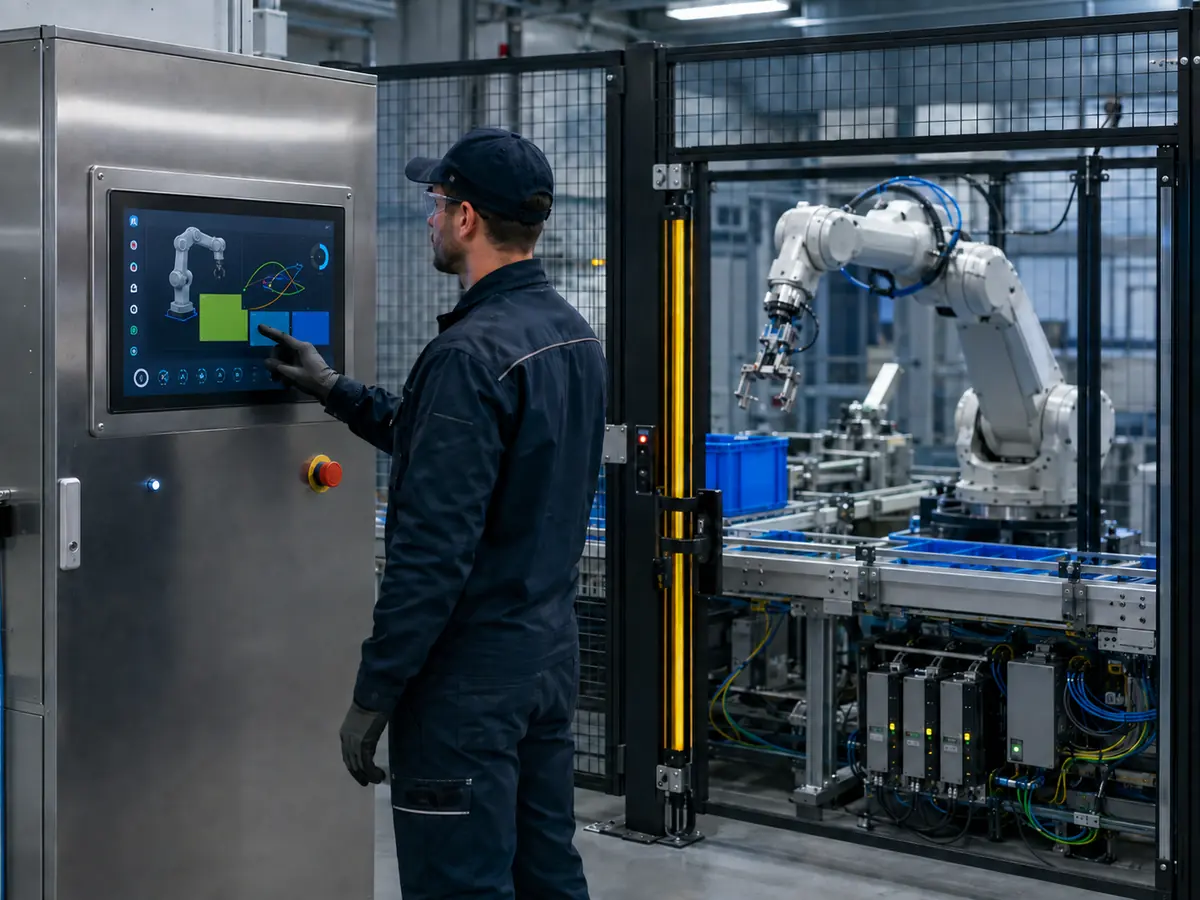
XIANHENG supports touchscreen display projects for robot teach pendants, controller cabinets, collaborative robots, machine-tending cells, vision-guided robots, AMRs, AGVs, and automated production lines.
Direct answer: XIANHENG can coordinate industrial LCD selection, projected capacitive or resistive touch, customized cover glass, controller and firmware development, optical bonding, display controllers, cables, samples, production control, replacement evaluation, and lifecycle planning as one robot HMI project.
How Can XIANHENG Help Select the LCD and Touch Technology?
Our engineers can compare LCDs according to active area, outline, resolution, brightness, contrast, viewing angle, interface, connector, voltage, backlight, operating temperature, mounting, product status, and expected supply period.
The touchscreen can then be selected according to the operator, tasks, gloves, stylus, gestures, cover glass, contamination, electrical environment, software, and service conditions. Customers can review available displays through the Industrial LCD Product Collection.
Which PCAP Customization Options Can XIANHENG Support?
PCAP development can include sensor dimensions, controller selection, USB or I²C communication, firmware tuning, sensitivity, noise filtering, edge performance, glove operation, cover-glass thickness, cable direction, and grounding review.
The intended LCD, host board, enclosure, power supply, cables, gloves, and robot electronics should be included in final validation because these elements can affect touch behavior.
Can XIANHENG Provide Resistive Touchscreens?
XIANHENG can support resistive touchscreen options for projects requiring pressure-based single-point input, glove use, or stylus operation. The selected construction should be evaluated for activation force, optical performance, surface durability, dimensions, cable position, operating environment, and expected lifecycle.
How Can the Cover Glass Be Customized?
Cover-glass customization can include outer dimensions, thickness, viewing window, printed border, logo, transparent sensor windows, holes, slots, corner shape, edge processing, and surface treatment. The drawing can be coordinated with the touch sensor, LCD active area, enclosure, gasket, controls, and nearby indicators.
Can XIANHENG Support Controllers, Firmware, and Cables?
XIANHENG can help coordinate the touch-controller interface and firmware with the selected host platform. Where the host cannot directly drive the LCD, controller-board solutions can also be evaluated for HDMI, DisplayPort, DVI, VGA, LVDS, or eDP architectures.
How Does XIANHENG Support Prototype Validation?
Prototype support can include requirement review, component selection, drawing confirmation, customized touchscreen and glass, bonding, controller setup, cable preparation, assembly, and initial functional inspection.
How Does XIANHENG Support Production and Lifecycle Management?
After sample approval, XIANHENG can support bill-of-material control, drawing and firmware records, inspection criteria, packaging, production coordination, change communication, failure review, replacement comparison, demand planning, and service requirements.
For replacement projects, customers can provide the original LCD and touchscreen models, datasheets, photographs, controller, firmware, cables, drawings, host information, software resolution, annual demand, and description of the current problem.
What Information Should Customers Provide for a New Project?
Useful inputs include the robot application, installation position, user roles, HMI functions, required size and resolution, brightness, touch method, gloves, cover-glass drawing, host interface, operating system, controller board, available space, cable direction, temperature range, vibration conditions, contamination, cleaning method, annual quantity, schedule, and expected lifecycle.
To discuss a teach-pendant touchscreen, collaborative-robot HMI, robot-cell touch display, machine-vision interface, AMR touchscreen, customized touch assembly, or obsolete robot display replacement, please reach out to XIANHENG.
Claim: XIANHENG supports industrial robot touchscreen projects by coordinating industrial LCDs, PCAP or resistive touch, cover glass, optical bonding, controllers, firmware, cables, prototype validation, production control, replacement evaluation, and long-term supply planning.


