
A mining equipment display earns its place when it helps someone make the next correct decision. A haul-truck operator may need to judge payload and the area around the vehicle, a drill operator may compare hole position with the drill plan, and a plant technician may need to identify why a conveyor sequence stopped. In each case, the screen is part of the work process rather than a separate information accessory.
Mining does not create one uniform display environment. A screen in a filtered surface-machine cab, a panel beside a crusher, a compact HMI on underground equipment, and a remote-operation workstation face different users, contaminants, viewing conditions, mounting loads, electrical systems, and consequences of failure.
Industrial LCD displays for mining equipment are therefore selected around tasks, installation zones, failure chains, and validation evidence. The objective is not to find a panel described only as “rugged.” It is to build a controlled display subsystem that preserves usable information throughout the machine’s real operating and service conditions.
Quick Answer: Mining equipment needs industrial LCD displays because operators and technicians depend on local visual information to move material, control drilling, supervise crushing and conveying, investigate faults, maintain machines, and manage remote operations. The required display may need to remain readable across daylight and darkness, tolerate machine-specific vibration, support gloved interaction, coexist with drives and radios, recover after power events, fit a serviceable enclosure, and remain available through a long equipment program. Each requirement must be tied to the screen’s location and the decision it supports.
Claim: A mining display is valuable when it preserves the information, interaction, and recovery behavior required for a defined operating or maintenance decision.
1. What Decisions Must Mining Operators Make at the Display?
A useful specification begins with verbs rather than component ratings. Engineers should document what the user must recognize, compare, confirm, adjust, acknowledge, or diagnose. That task definition determines which information must remain visible, how quickly it must be understood, and which input method is appropriate.
Direct answer: Mining equipment displays help users decide where and how to move material, whether a machine is ready, whether a process sequence can continue, which alarm deserves attention, what maintenance step comes next, and whether a remote command was accepted. The display must present evidence for these decisions without hiding machine state or confusing an indication with a permitted control.
What Must a Mobile-Machine Operator Understand Quickly?
Haul trucks, loaders, excavators, dozers, graders, and support vehicles can generate more information than should be shown at once. The primary page may need to keep speed, direction, selected operating mode, payload status, machine warnings, fuel or energy state, and critical camera views within a stable visual hierarchy.
What Does a Drill Operator Need to Compare?
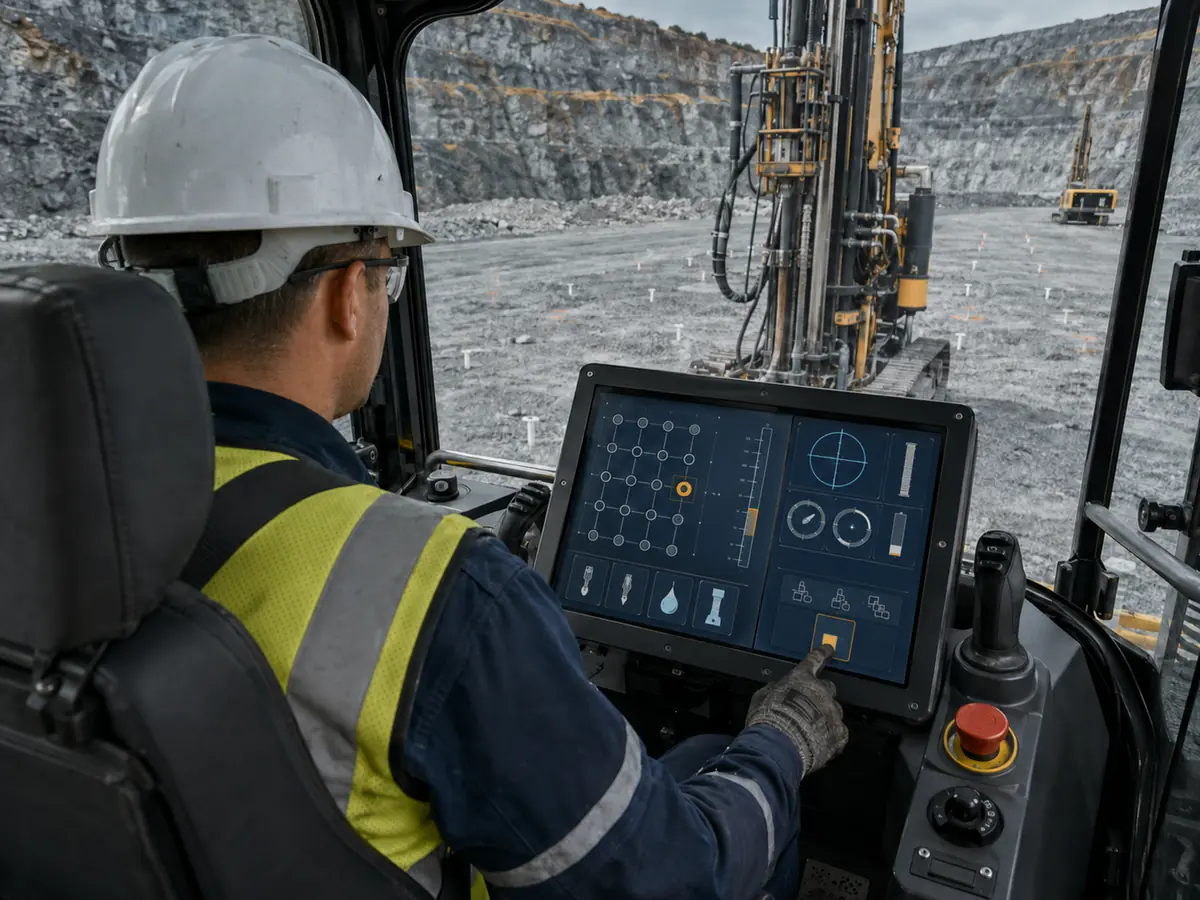
Surface and underground drilling may require the operator to compare the current hole with a plan while watching depth, angle, alignment, penetration, rotation, pressure, flushing, consumables, and machine state. The HMI should make deviations and limits easier to identify than routine values.
A drill display also has to fit the operator’s working rhythm. Information needed during positioning is not identical to information needed while drilling or moving the rig. Context-specific pages can reduce clutter, but the operator must always understand which mode is active and what a touch or physical control will affect.
What Must a Processing-Plant HMI Make Unambiguous?
Crushers, feeders, screens, mills, pumps, conveyors, stackers, and reclaimers operate through sequences and interlocks. A local HMI should distinguish running, stopped, ready, inhibited, tripped, isolated, unavailable, and communication-loss conditions without requiring the user to infer state from one color.
When material flow stops, the useful screen is the one that helps personnel locate the first relevant condition rather than presenting a long undifferentiated alarm list. Equipment feedback should also show whether a requested start, stop, reset, or mode change was accepted by the control system.
How Can a Display Shorten Maintenance Decisions?
A technician working beside the machine may need live sensor values, I/O state, permissives, calibration pages, lubrication conditions, controller status, fault history, service intervals, and a controlled procedure. Local access can reduce travel between the equipment and a distant workstation, especially during commissioning and fault isolation.
The HMI should label data that is stale, simulated, forced, invalid, or unavailable. Service permissions, machine state, and confirmation rules must be coordinated with the control architecture so a convenient diagnostic screen does not create an uncontrolled operating path.
What Changes When Operation Moves Away from the Machine?
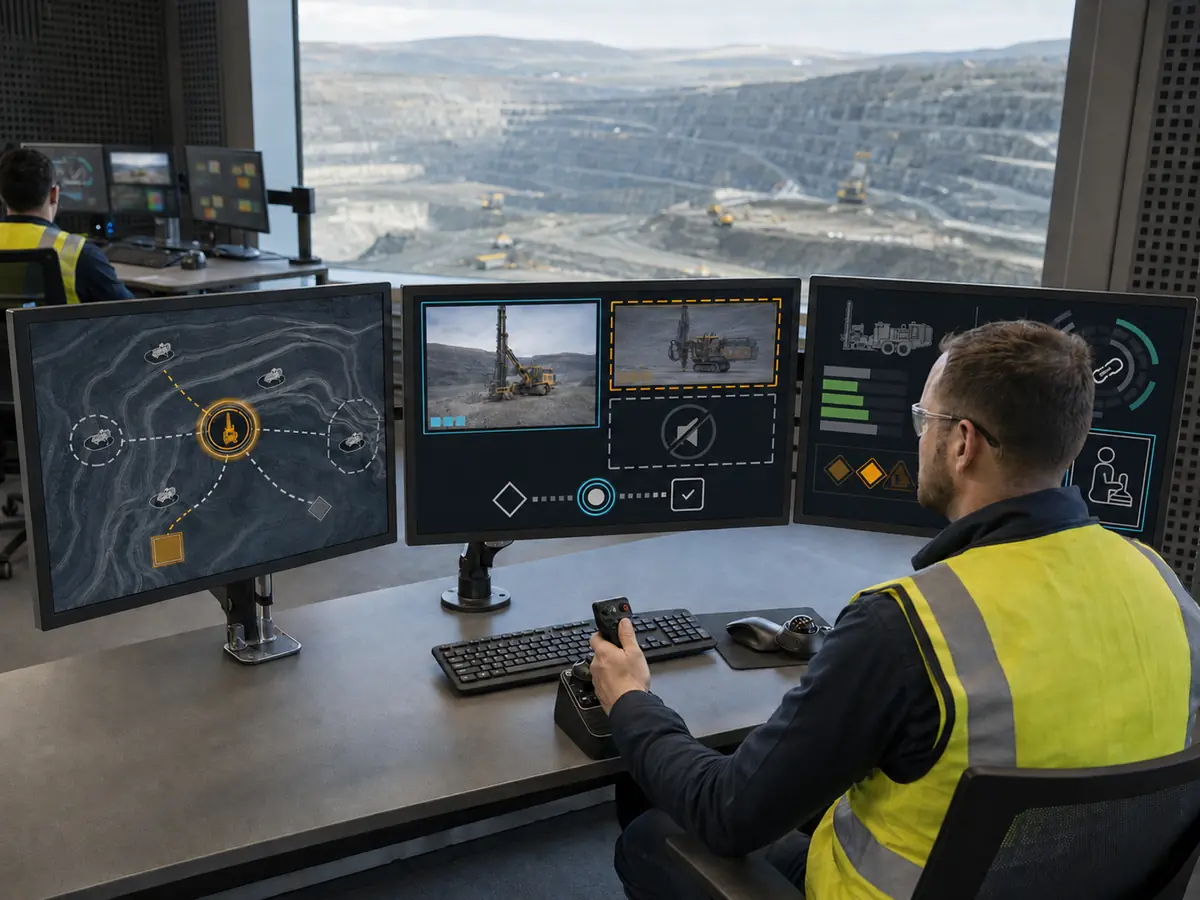
Remote and autonomous mining systems move the operator’s attention from direct physical observation to screens, cameras, maps, machine-health pages, assignments, and communication status. The workstation may need several displays and a combination of touch, keyboard, mouse, joystick, or dedicated controls.
The interface must make latency, video loss, stale data, command state, machine identity, operating authority, and communication recovery visible. A sharp image alone is insufficient if the operator cannot determine whether the information is current or whether a remote action reached the intended machine.
Claim: Mining display requirements should be derived from operator decisions and machine states, not from the number of signals available in the controller.
2. How Do Display Priorities Change Across a Mine?
Direct answer: Surface mobile machines prioritize daylight readability, night dimming, vibration, operator reach, and camera presentation. Drill rigs add precise positioning and contamination. Processing plants emphasize dust, electrical noise, sequence visibility, and maintainability. Underground machines prioritize compact integration, low-light usability, moisture control, and location-specific approval. Remote rooms prioritize information density, consistent scaling, and communication awareness.
What Defines a Surface Mobile-Machine Display?
A cab display may move repeatedly between bright sky, shadow, artificial work lighting, and darkness. Readability depends on the complete optical path through the LCD, touch sensor, cover glass, cab windows, and installation angle. High luminance can help, but reflection control and a sufficiently low nighttime setting are equally important.
Engineers should test the actual seated sight line rather than judging the screen directly from the front. More detail about luminance, reflection, and thermal tradeoffs is available in Outdoor Displays: Why High-Brightness LCDs Are Crucial.
What Is Different About a Drill-Rig Installation?
Drill rigs combine fine guidance information with shock, vibration, dust, mud, and repeated operator interaction. The screen must preserve legibility for small directional changes while the HMI keeps essential targets large enough for the intended gloves and machine movement.
The mounting structure, bezel, connectors, and cable route should follow the real vibration path of the console. A panel may survive a component test while a bracket resonates, a connector backs out, or a touch tail is repeatedly flexed inside the assembled rig.
What Matters Beside Crushers and Conveyors?
Fixed processing equipment may place the HMI near airborne mineral dust, washdown activity, large motors, variable-frequency drives, switching loads, and long cable runs. The display can be stationary while its electrical and contamination conditions remain demanding.
Grounding, shielding, controller placement, cable construction, and routing should be developed as one system. Useful background is provided in Why Is EMI Shielding Important in Industrial LCDs?. The final test still has to reproduce the plant cabinet, power supply, drive activity, and cable arrangement.
What Changes on Underground Mining Equipment?
Underground loaders, trucks, drills, roof-support equipment, and utility machines operate with limited ambient light, changing work lights, restricted space, dust, moisture, and difficult service access. Excessive minimum brightness can be as disruptive as insufficient brightness because it can dominate the operator’s low-light field of view.
The exact mine and installation determine whether combustible gas or dust requirements apply. A standard LCD, touchscreen, controller, or sealed front does not independently make the machine approved for underground or explosive-atmosphere use. Protection concepts, power, temperature, enclosure, cable entry, fault behavior, and component changes remain equipment-level responsibilities.
What Does a Remote Operations Room Require?
A remote station may combine fleet views, drill controls, process trends, alarms, maps, and several video feeds. Resolution and screen area should be chosen from the number of simultaneous tasks, viewing distance, operator positions, software scaling, and need to transfer attention between displays.
Color and brightness should remain consistent enough that the same state is recognized across workstations. Monitor placement, reflections, desk depth, viewing angles, input devices, and shift duration become part of the display decision even though the room is cleaner than the mine face.
How Should Portable Service Displays Be Treated?
Portable diagnostic equipment may be carried between machines, connected temporarily, used outdoors, placed on dirty surfaces, and stored in service vehicles. Its priorities include readable prompts, protected connectors, cable strain relief, controlled power, clear connection status, and a housing suited to transport and handling.
A portable unit should not be assumed to inherit the environmental or electrical protection of the machine. Its charging method, isolation needs, permitted connection points, software version, and service procedure must be defined by the responsible equipment organization.
| Mining Location | Decision Supported | Display Priority | Failure to Prevent |
|---|---|---|---|
| Surface mobile cab | Drive, load, position, and observe surroundings | Day-to-night readability, stable mounting, reachable controls | Hidden warning or unusable camera view |
| Drill rig | Position, align, drill, and respond to deviations | Precise graphics, glove targets, shock-resistant integration | Misread deviation or intermittent console fault |
| Processing plant | Identify sequence state and isolate a process fault | Alarm clarity, noise immunity, cleanable front, service access | False display fault or unclear interlock state |
| Underground machine | Operate within confined, low-light working areas | Low-light control, compact assembly, moisture strategy | Glare, condensation, or unreviewed compliance change |
| Remote operations room | Supervise machines, video, assignments, and alarms | Information density, scaling, color consistency, latency status | Action based on stale data or the wrong machine |
| Portable service tool | Connect, diagnose, calibrate, and document | Protected connections, transport durability, clear status | Wrong connection or unsupported service action |
Claim: The location inside the mining workflow determines the display priorities; one mine-wide “rugged screen” specification cannot replace installation-specific engineering.
3. What Failure Chains Begin with a Poor Display Decision?
Direct answer: A poor mining equipment display decision can lead from unreadable or unstable information to repeated inputs, unnecessary troubleshooting, process delay, unplanned machine access, incorrect part replacement, or a costly redesign. The LCD should therefore be evaluated as a dependency within the operating, maintenance, and lifecycle systems.
How Does Poor Readability Become an Operating Problem?
Brightness alone does not determine whether an operator can distinguish a warning, trend, map, or camera image. Reflections, protective glass, viewing angle, dust, HMI contrast, font size, polarization, and cab-window geometry can reduce usable contrast even when the luminance specification appears high.
If the user must shade the display, lean away from the normal position, or repeatedly change pages to confirm a value, the optical design has already affected the task. Approval should be based on the intended viewing position and lighting transitions, not a photograph taken directly in front of the panel.
Why Can Unstable Touch Create More Than Missed Inputs?
A PCAP system can change behavior with thick gloves, surface water, conductive residue, nearby metal, grounding, controller tuning, and electrical noise. Resistive touch depends on deliberate pressure and introduces its own activation-force, flexible-surface, wear, and optical considerations.
When touch is inconsistent, operators may press harder, repeat commands, or distrust feedback. The HMI must clearly indicate whether an input was detected, accepted, rejected, or completed. Emergency stops, safety functions, and essential eyes-free controls should remain in the separately engineered control architecture where required by the machine design.
How Do Mechanical Details Create Intermittent Display Faults?
Mining vibration can act through the enclosure, bracket, fasteners, foam, gasket, controller board, connectors, and cables. Excessive restraint can load the LCD glass, while insufficient restraint can allow movement, fretting, cable fatigue, or connector release.
The relevant input is the machine’s mounting location and dynamic profile. A display qualified in one orientation or fixture is not automatically proven in another console. Image, backlight, touch, and communication should be monitored during applicable testing because visual inspection after the event can miss temporary failures.
How Can Thermal Design Shorten Useful Display Life?
Solar gain, a high backlight setting, controller losses, nearby electronics, heaters, limited airflow, and a sealed enclosure can make the LCD location substantially hotter than the ambient air. Cold startup can slow liquid-crystal response and reveal power or backlight behavior that is absent at room temperature.
Thermal design should connect the expected duty cycle with measured internal temperatures, brightness control, heat paths, component ratings, and shutdown behavior. Specifying the widest panel temperature range does not correct a poor enclosure heat balance.
Why Do Dust and Cleaning Need a Defined Surface Strategy?
Mineral dust can obscure the image and act as an abrasive when wiped across the front. Mud and process residue can change both visibility and PCAP behavior. Cleaning may expose coatings, printed borders, adhesives, gaskets, and housing materials to repeated mechanical and chemical stress.
The project should define what contamination is credible, whether operation must continue while the surface is dirty or wet, which cleaning tools and substances are permitted, and what recovery is expected afterward. Protection belongs to the finished front assembly and enclosure, not to the LCD module alone.
What Happens When the Display Does Not Recover with the Machine?
Mining machines and plant systems can experience crank events, supply dips, emergency shutdowns, controller resets, network interruptions, and different host-to-display power sequences. A screen that requires an undocumented manual restart after one of these events can delay return to service.
Validation should confirm image restoration, native resolution, backlight control, touch enumeration, coordinate mapping, application launch, current machine identity, and communication status after credible disturbances. Recovery is a system behavior involving the host, firmware, controller, interfaces, power, and software.
How Does Panel Obsolescence Become a Machine Redesign?
A replacement with the same diagonal size may change the active area, outline, mounting points, connector, voltage, interface, timing, backlight, viewing angle, or touch alignment. These differences can propagate into the bracket, cable, controller firmware, enclosure opening, HMI scaling, and qualification evidence.
Panel status, forecast demand, approved alternatives, change notification, service inventory, and last-time-buy planning should be reviewed before production release. The broader issue is examined in Why Is Long-Term Availability Critical for Industrial LCD Screen Selection?.
Claim: Display reliability should be judged by the operational and service consequences of a failure, not only by whether the LCD remains powered.
4. What Evidence Should Approve a Mining Display System?
Direct answer: A mining display should be approved through task-based usability checks, drawing and interface review, production-intent assembly tests, environmental and electrical validation, recovery tests, maintainability checks, compliance review, and configuration control. Pass criteria must describe observable image, touch, communication, mechanical, and recovery behavior.
How Should Acceptance Criteria Begin with the Task?
For every critical screen, define the user, machine state, viewing position, required information, permitted input, expected feedback, completion time where relevant, and behavior if display or communication is unavailable. This turns broad phrases such as “sunlight readable” or “glove compatible” into testable requirements.
What Can a Full-Scale HMI Mockup Reveal?
A full-size mockup can reveal blocked sight lines, small labels, crowded targets, excessive reach, confusing page transitions, reflected cab structures, and poor night settings before the enclosure is released. It should use the intended resolution, scaling, languages, alarm design, gloves, seating position, and input devices.
What Must Be Confirmed in the Production-Intent Assembly?
Confirm the active area, outline, opening, glass, touch area, gasket, bracket, fasteners, connector access, cable direction, strain relief, controller position, power, grounding, heat path, and service clearance. Then test with the intended host board, BIOS, operating system, graphics and touch drivers, HMI software, and cable set.
How Should Environmental Tests Preserve Functional Evidence?
Temperature, thermal cycling, vibration, shock, dust, moisture, cleaning, EMC, ESD, supply disturbances, or long-duration operation may be relevant depending on the machine. Test levels and methods must come from the equipment requirement and applicable approval plan rather than from a generic mining label.
During applicable tests, record image stability, brightness, touch behavior, input feedback, link state, controller resets, and recovery. A backlight that remains illuminated does not prove that the video path, touch controller, or HMI application stayed functional.
Which Interruption Tests Matter for Connected Mining Systems?
Test cold and hot startup, host-first and display-first power order where credible, repeated cycling, supply dip, controller reset, video interruption, touch reconnection where permitted, network loss, stale-data indication, and application restart. Remote stations should also confirm machine identity, authority state, command feedback, and video or telemetry recovery.
Why Should Maintainability Be Demonstrated Before Release?
Technicians should be able to identify the display configuration, isolate the problem, reach connectors, replace approved parts, restore seals and cable restraint, load controlled firmware where necessary, and verify the repair. A replacement exercise can expose access, labeling, calibration, and documentation problems that a reliability test does not show.
How Should Underground Approval Boundaries Be Managed?
The responsible manufacturer should document the exact operating location, applicable jurisdiction, protection concept, temperature and energy limits, enclosure construction, cable entries, fault conditions, and certification responsibilities. Any display, touch, controller, backlight, glass, cable, power, or firmware change should be reviewed against that controlled configuration.
What Must Remain Under Change Control?
Control the LCD model and revision, touch sensor, controller and firmware, cover glass, printing, coatings, bonding, bracket, gasket, cables, connectors, pinout, power circuit, grounding, display controller, software resolution, scaling, calibration, inspection criteria, approved alternatives, and replacement instructions.
Claim: Mining display approval is credible when each task and failure concern is connected to reproducible evidence from the production-intent system.
5. What Advantages Does XIANHENG Offer for Mining Display Projects?
Direct answer: XIANHENG can help customers translate the mining location and operator task into an industrial TFT LCD shortlist, then coordinate supported touch, customized cover glass, bonding, controller boards, firmware, cables, drawings, samples, inspection, replacement analysis, and supply planning. Final machine controls, safety functions, environmental protection, regulatory conformity, underground approval, and equipment qualification remain with the responsible manufacturer and approval parties.
How Does XIANHENG Start from the Mining Use Case?
Customers can provide the machine or plant function, screen location, operator decisions, HMI screenshots, viewing distance, lighting transitions, gloves, contaminants, mounting conditions, host interface, power, annual demand, and expected service period. This separates essential requirements from specifications that do not affect the task.
How Can Candidate LCDs Be Compared?
XIANHENG can compare industrial panels across active area, outline, resolution, aspect ratio, brightness range, viewing angle, temperature rating, interface, backlight, connector position, product status, and lifecycle. Customers can review initial options in the Industrial LCD Product Collection.
Can XIANHENG Coordinate the Front Optical and Touch Stack?
Supported projects can combine PCAP or resistive touch with customized cover glass, printed borders, coatings, air bonding, tape bonding, or optical bonding. Drawings can align the visible area, touch area, enclosure opening, adhesive region, gasket, and mounting tolerances.
The selected stack should be evaluated with the intended gloves, contamination, lighting, grounding, touch firmware, enclosure, and cleaning method. No component-level description should be treated as proof of the finished machine’s sealing, impact resistance, or mining approval.
Can XIANHENG Support Controllers and Customized Cables?
When the host and LCD do not connect directly, XIANHENG can review supported controller solutions and coordinate native resolution, timing, input, panel output, firmware, backlight control, power, connectors, buttons, and cable sets. Customized cables can define connector models, pinout, length, pair assignment, shield, direction, retention, and labels.
How Can Samples Support Customer Validation?
Prototype scope can range from a bare LCD for host evaluation to a touch-plus-LCM assembly, bonded stack, open-frame unit, or monitor solution. Configuration records can identify the exact panel, controller, firmware, touch sensor, glass, bonding, and cables represented by the sample.
The customer validates the sample in the intended machine or production-representative fixture. XIANHENG can review recorded display-side findings and coordinate supported changes before the approved configuration enters production.
How Can XIANHENG Support Replacement and Lifecycle Planning?
For an existing HMI, customers can provide the original LCD, touch panel, controller, cables, datasheets, drawings, photographs, host output, software resolution, current symptoms, inventory, annual demand, and a working sample where available. XIANHENG can identify mechanical, optical, electrical, firmware, and lifecycle differences between candidates.
To discuss a haul-truck HMI, drill-rig display, crusher or conveyor control panel, underground-machine screen, remote mining console, customized display subsystem, or obsolete-panel replacement, please reach out to XIANHENG.
Claim: XIANHENG supports mining display projects by connecting the operator task with a controlled panel, touch, glass, controller, cable, sample, replacement, and supply configuration.


