
Sourcing EV charger displays starts with a purchasing decision that a diagonal size cannot answer: which part of the user interface should the display supplier deliver? One charger manufacturer needs a bare TFT LCD for an existing processor board. Another needs a bonded touchscreen assembly with printed cover glass. A third needs a monitor with its own video controller and cables.
Those requests can look similar in a short inquiry but lead to different quotations, engineering work, samples, and service arrangements. A useful specification connects the charging workflow to a defined display assembly, then gives the supplier enough information to confirm compatibility before the front panel and software are frozen.
Quick Answer: OEMs sourcing EV charger displays should specify supply scope, screen role, size, native resolution, orientation, viewing conditions, touch behavior, cover-glass drawing, bonding, host interface, power, cables, mounting, environmental conditions, acceptance criteria, quantity, and lifecycle needs. Distinguish the LCD module from the complete HMI computer, charger controller, and payment terminal. Approve a production-representative sample using real charging pages, the intended host, final optical stack, charger enclosure, and operating states before releasing volume orders.
Claim: A useful EV charger display inquiry defines what is being purchased, how it connects, what the driver must do, and which evidence will approve it.
1. What Exactly Is the OEM Buying for the Charger Front Panel?
The term display can describe several different deliverables. Establish the boundary first so that procurement does not compare a bare-panel price with a quote that includes touch, glass, bonding, controller electronics, and inspection.
Direct answer: State whether the order covers a bare LCD, a touch-plus-LCD assembly, a customized front assembly, or a monitor with a video controller. List included electronics, firmware, cables, mechanical parts, drawings, and sample-development work.
When Does a Bare TFT LCD Make Sense?
A bare panel can suit an OEM that already controls the host board, display output, backlight power, touch design, and mechanical assembly. The supplier provides the specified LCD while the customer integrates the surrounding subsystem.
Confirm the exact panel model and revision. The same nominal size and resolution do not establish connector, pinout, timing, voltage, mounting, or power-sequence compatibility with an existing charger design.
What Should a Touch-and-LCD Assembly Include?
This scope may combine the LCD, touch sensor, touch controller, cover glass, adhesive system, and agreed bonding method. The quotation should identify which items are integrated, which remain separate, and how the assembly is inspected.
Define touch communication and firmware responsibility alongside the optics. A working LCD image does not establish touch accuracy, rotation, wet-surface behavior, or support for the customer's operating system.
When Is a Video Controller Needed?
A charger HMI computer with HDMI or another standard video output may need a controller board that drives the selected LCD. Its firmware, native-panel output, backlight control, input behavior, and power arrangement become part of the supply.
A video controller does not automatically provide the application computer. Ask explicitly whether the assembly includes a processor running the charging UI or only converts the host's video into the LCD's required signals.
How Should Payment and Charger Control Be Separated?
The local screen can present payment guidance and session information, while a payment terminal and charger controller perform their separately defined functions. A touchscreen component does not become a certified payment device through integration into the front panel.
Likewise, backend connectivity and charging protocols do not define the LCD pixel interface. Allocate responsibility for the application, data validity, payment integration, charge control, and display hardware in the project documents.
| Purchase Scope | Items to Identify | Customer Integration to Confirm |
|---|---|---|
| Bare LCD | Panel model, revision, backlight definition | Native host output, touch, power, and mounting |
| Touch-plus-LCD assembly | Sensor, controller, glass, bonding, firmware | Host driver, orientation, grounding, and front-panel fit |
| Monitor assembly | Video controller, power, controls, cables, frame | HMI computer, application, startup, and enclosure |
| Custom front assembly | Printed glass, attachment regions, sensor layout | Payment hardware, sealing boundary, and service access |
Claim: Comparable quotations require the same supply boundary and an explicit allocation of host, payment, charging-control, and enclosure responsibilities.
2. Which Charging Screens Should Determine the Display Specification?
Some AC charging products use indicators and an application rather than a local graphical screen. Where a display is required, its specification should follow the actual driver and service tasks instead of a generic requirement for a large touchscreen.
Direct answer: Review connector selection, authentication, charging preparation, active charging, completion, unavailable states, and service pages at full physical scale. Use those pages to decide size, resolution, orientation, readability, touch targets, and interaction with nearby hardware.
What Must Be Clear Before Charging Starts?
The driver may need to identify the correct outlet, understand connection instructions, choose a language, authenticate, or follow payment guidance. Where one screen serves several connectors, the selected connector and its physical position need unambiguous presentation.
Check the actual text, icons, and controls at the intended viewing position. Do not approve screen size using an attractive demonstration page that contains fewer instructions than the production workflow.
How Should Active-Session Information Influence Size?
Review the charging state, relevant energy and cost information, elapsed time, and any permitted stop control according to the product's requirements. Separate confirmed data from estimates and unavailable values in the application design.
A compact status screen and a shared multi-connector interface may require different layouts. More pixels help only if text and controls remain physically readable; fitting more content by shrinking everything can make the charger harder to use.
What Happens When the Charger Is Unavailable?
The display should support clear messages for a busy connector, rejected authentication, connection difficulty, network loss, or a service condition as defined by the charger software. The user needs a next action rather than an indefinite progress animation.
These pages also reveal startup and recovery requirements for the hardware. Define what the user sees while the host boots, reconnects to services, or restores the application after a reset.
Which Viewing Conditions Belong in the RFQ?
Specify installation orientation, sunlight direction, shade, viewing distance, nighttime use, and permitted eyewear. Brightness measured on a bare LCD is not the same as usable contrast through final glass and touch layers.
Request representative samples rather than assume one nit value guarantees visibility. Background on the optical construction is available in How Does Optical Bonding Improve Outdoor LCD Performance?.
What Should Be Specified for Public Touch Use?
Define permitted gloves, water droplets, cleaning residue, required gestures, and target spacing. PCAP and resistive touch have different operating characteristics; neither technology name establishes every required behavior.
Review reach and visibility for intended users, including relevant accessibility requirements in the target market. Mounting height, viewing angle, software layout, and adjacent payment hardware are equipment decisions as well as component-selection inputs.
Claim: The production charging pages should determine the usable screen area, readability, and touch requirements before appearance freezes the design.
3. Which Drawings and Electrical Details Make a Quotation Comparable?
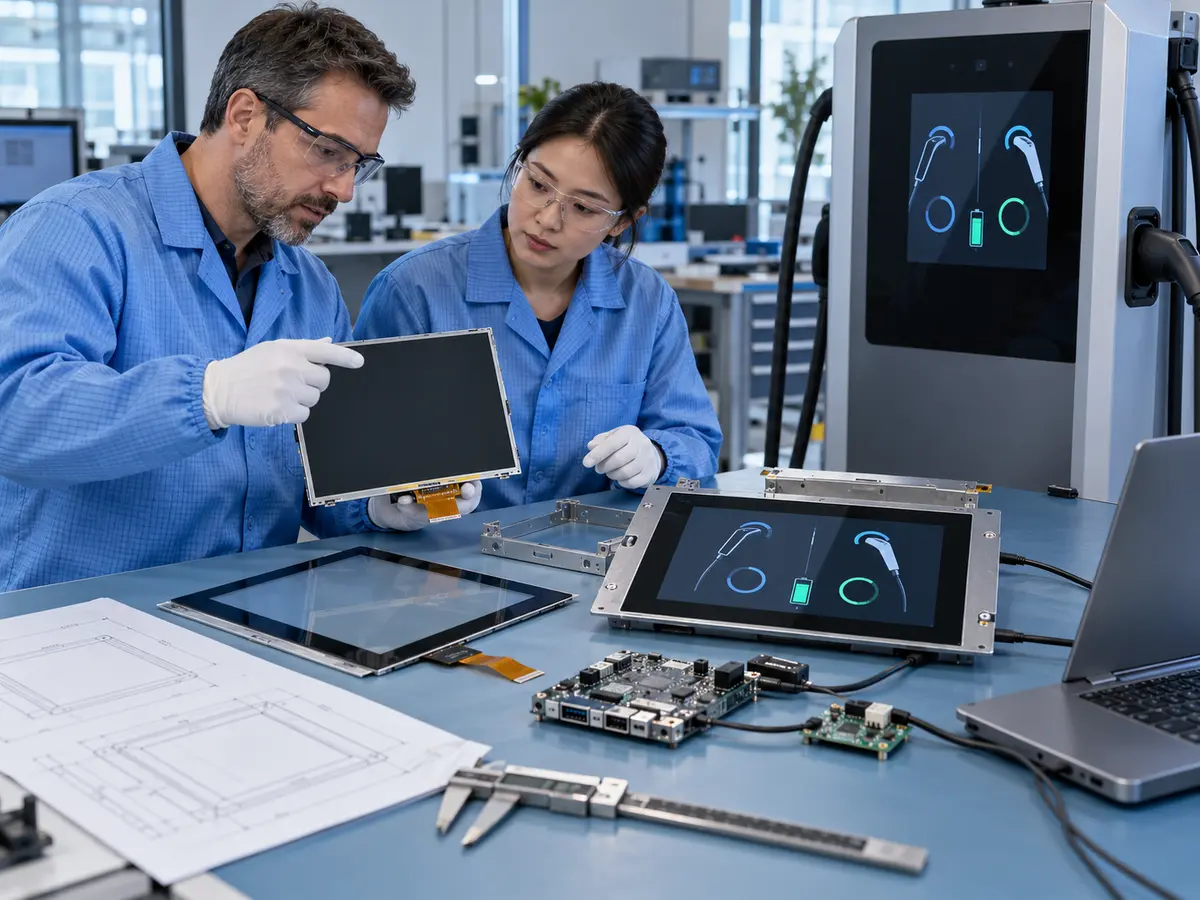
A supplier needs more than an enclosure photograph and a requested diagonal. The most useful RFQ package combines a front-panel drawing, host-output definition, optical requirements, touch conditions, and an installation temperature estimate.
Direct answer: Provide controlled dimensions and interfaces for the LCD, glass, touch sensor, mounting, host, backlight, power, and cables. State required customization and identify assumptions that still need prototype confirmation.
What Belongs on the Cover-Glass Drawing?
Include outline, thickness, viewing window, printed border, logo, edge finish, holes, attachment regions, and relevant tolerances. Identify windows or openings for indicators and separately integrated devices.
The active image, touch area, visible opening, and enclosure cutout must align. A design that leaves an inaccessible touch control behind an opaque border is not resolved by changing firmware after glass production.
How Should Bonding and Surface Treatment Be Quoted?
State whether the design uses an air gap or a bonded stack and which surfaces require anti-glare or anti-reflective treatment. Ask for the actual construction and acceptance conditions rather than treating all bonding and coatings as interchangeable.
Include rework and service expectations. Filling an optical gap does not independently provide an IP rating, impact rating, or complete condensation protection for the charger; those claims require the appropriate assembly evidence.
Which Host Details Prevent Interface Mistakes?
For a native connection, provide the output standard, connector, pinout, voltage, timing, resolution, lane or channel configuration, and power sequence. For a monitor input, identify the host, input type, resolution, startup, and detection behavior.
Define touch separately, including USB or I²C where applicable, operating system, driver, rotation, reset, and recovery. Matching connector shapes or buying an adapter cable does not prove electrical compatibility.
What Power and Temperature Conditions Should Be Included?
State available low-voltage power, brightness duty, dimming control, startup behavior, and the temperature expected at the display location. Sun-heated glass, backlight losses, nearby electronics, and enclosure airflow can make that location hotter than outside air.
Confirm operating and storage limits for the complete supplied assembly. The charger's power-conversion rating does not define the display supply, and a wide-temperature LCD does not automatically extend the controller or touch system's range.
How Should Cables and Service Clearance Be Defined?
Specify cable length, connector models, direction, bend clearance, shielding, restraint, and replacement access. Review the route alongside switching power electronics, fans, other harnesses, and enclosure metal.
The sample cable should represent production construction. A short loose bench lead can behave differently from a harness routed through the charger door, especially when service movement or electrical noise affects the connection.
Claim: Drawings and electrical definitions turn a display quote into a reviewable integration proposal rather than a list of nominal specifications.
4. What Must the Sample Prove Before Volume Purchasing?
A sample should retire defined integration risks. The approval record needs to show which hardware, firmware, glass, touch, bonding, cables, host, and application were tested, rather than describe only the screen size.
Direct answer: Approve charging-task usability, optics, touch, startup and recovery, electrical coexistence, installation, service, and production consistency. Assign measurable acceptance criteria and keep commercial conditions tied to the approved configuration.
How Should the Driver Workflow Be Tested?
Run complete sessions from arrival through connection, authentication, charging, stopping, and completion using the product's supported methods. Include occupied connectors, rejected actions, language changes, timeouts, and recovery messages.
Check that a repeated touch produces the intended application response and that connector identity remains clear. The test verifies the combined HMI behavior; the display supplier should not be assumed to own charging-session logic.
What Should Optical and Touch Acceptance Record?
Use production glass and representative installation angles in daytime and nighttime conditions. Record small-text readability, reflections, dimming, touch accuracy, edge targets, intended gloves, and defined wet-surface behavior.
Also agree cosmetic inspection criteria, including allowable pixel defects, foreign matter, visible bubbles, print alignment, and surface defects. These details can materially affect quotations and should be settled before bulk delivery.
When Should Electrical Coexistence Be Checked?
Test the display in the intended charger architecture while relevant power stages, fans, communication equipment, and peripherals operate. Observe image artifacts, touch anomalies, link interruptions, and controller resets.
Bench operation from a separate supply does not represent every installed disturbance. The equipment manufacturer should select EMC and electrical tests from the applicable qualification plan and monitor the required display functions throughout.
Which Restart and Service Events Matter?
Check cold start, display-first and host-first sequences where credible, application restart, temporary video loss, touch reconnection, dimming commands, and recovery after the specified power disturbances.
Then replace the display using the intended service procedure. Confirm access, orientation, cable routing, mounting pressure, and restored touch mapping. A correct spare should not require undocumented field wiring or improvised software scaling.
What Commercial Details Protect Production Continuity?
Separate prototype charges, glass tooling or development, minimum quantities, production lead time, packaging, inspection, warranty scope, and approved spare arrangements. Confirm the treatment of supplier changes and end-of-life notifications.
Retain the bill of materials and approved alternatives. Replacing a panel, adhesive, controller, touch firmware, or cable can affect optical, electrical, or mechanical evidence even when the marketing description stays the same.
Claim: Volume release should follow a recorded sample approval that covers both the charging experience and the exact supplied hardware configuration.
5. What Advantages Does XIANHENG Offer for EV Charger Display Projects?
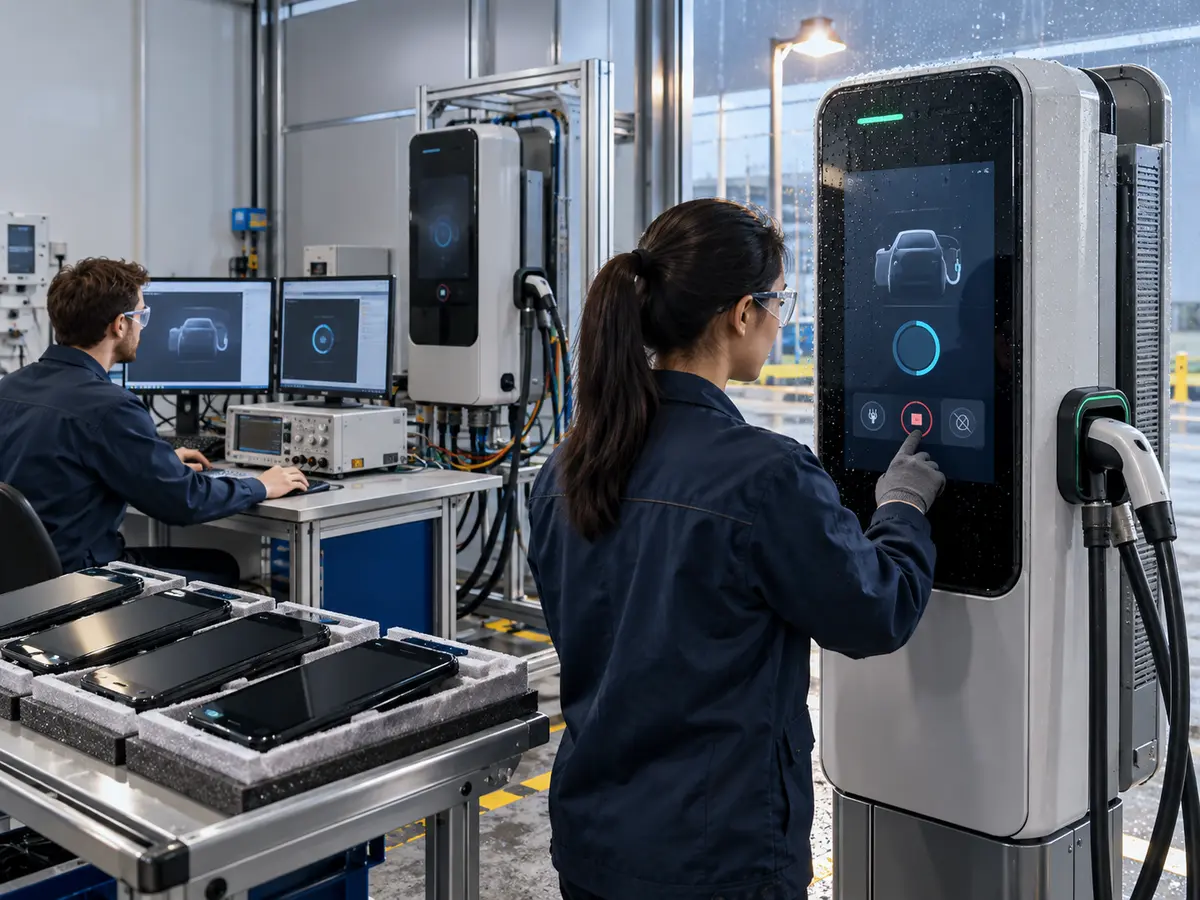
XIANHENG supports OEMs that need an LCD, touch assembly, customized glass front, controller solution, or replacement display for an EV charging product. The starting point can be an established host design or a front panel still under development.
Direct answer: XIANHENG can coordinate industrial LCD selection, high-brightness options, PCAP or resistive touch, customized cover glass, bonding, controllers, firmware, cables, drawings, samples, inspection, and lifecycle planning within the agreed project scope. Charger control, payment security, application software, enclosure protection, accessibility compliance, and final equipment qualification remain with the responsible OEM and relevant partners.
How Can XIANHENG Compare Candidate Panels?
Provide the desired size, orientation, resolution, viewing conditions, available space, host output, power, temperature, and production plan. Candidate comparison can then address actual integration constraints as well as brightness and unit price.
Customers can review starting options in the Industrial LCD Product Collection. Each selected model should be confirmed against its current datasheet and availability.
Can Touch and Printed Glass Be Developed Together?
Supported development can align the image area, touch sensor, controller, glass thickness, printed border, logo, holes, coatings, bonding construction, and attachment regions. That coordination helps the front design remain consistent with the electrical and software requirements.
Glove, water, noise, and optical results should still be checked on samples. A custom drawing establishes dimensions; it does not replace functional testing in the customer's charger.
Can Controllers and Customized Cables Be Included?
For supported configurations, XIANHENG can review a controller that matches the chosen LCD and host video input. Panel timing, backlight control, controller firmware, power, connectors, and supplied cables can be defined together.
The OEM should provide the production host and software behavior for startup and recovery validation. Customized cable drawings can make approved wiring and replacement identification clearer.
How Can XIANHENG Support Existing Charger Replacements?
Provide original LCD, touch, controller, and cable models; datasheets; assembly drawings; photographs; host information; software resolution; and current symptoms. Include annual demand and the intended service period.
XIANHENG can compare candidates and identify changes to mechanics, optics, interfaces, touch, power, firmware, and lifecycle. A physically similar panel should not be called a direct replacement until the relevant differences are resolved.
What Information Should Start an EV Charger Display Inquiry?
Send the supply scope, charger type, installation setting, charging-page examples, size, resolution, orientation, brightness objective, touch conditions, glass drawing, host, power, cables, mounting, environmental requirements, quantity, schedule, and acceptance plan.
To discuss an EV charger LCD, sunlight-readable touchscreen, customized printed glass, bonded display assembly, video-controller solution, or obsolete-panel replacement, please reach out to XIANHENG.
Claim: XIANHENG supports EV charger manufacturers by connecting a defined purchasing scope with compatible display components, customization, samples, and supply planning.


