
Oil and gas display selection is not a matter of choosing a diagonal size and ordering the brightest available LCD. The display becomes part of an HMI that must present the correct information, accept permitted input, fit the equipment, start with the host, tolerate the installation environment, and remain supportable for the intended production and service period.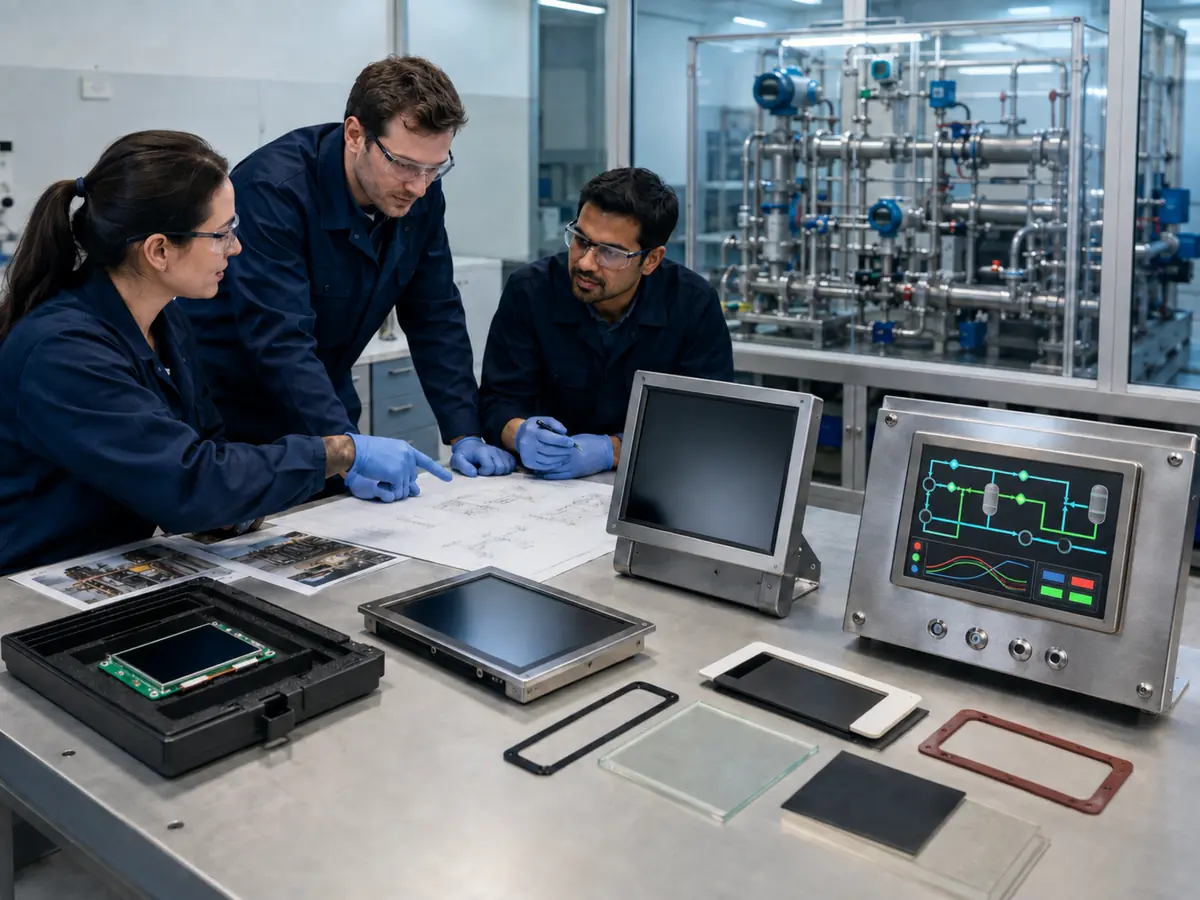
The selection process can begin with a new machine, an existing host computer, a fixed enclosure opening, or an obsolete display that must be replaced. Each starting point creates different constraints. A panel that looks suitable on a distributor page may still fail because its active area, interface mapping, backlight control, touch behavior, cable direction, temperature performance, or lifecycle does not match the production system.
Quick Answer: Engineers should select an oil and gas equipment display by defining the HMI tasks, users, viewing distance, installation, available space, size, resolution, brightness, touch method, interface, power, environment, compliance boundary, annual demand, and lifecycle target before comparing panels. Candidate displays should then be reviewed through drawings, datasheets, interface definitions, supplier change controls, production-intent samples, and tests with the actual host, software, enclosure, cables, power, grounding, and operating conditions. Final approval belongs to the complete equipment configuration, not to the LCD datasheet alone.
Claim: A reliable oil and gas display is selected from a traceable system requirement and approved through production-intent evidence; it is not selected from one attractive specification in isolation.
1. What Requirements Should Be Defined Before Display Selection?
An oil and gas display selection specification should describe the work the completed HMI must perform, not merely repeat catalog terms such as industrial, rugged, or sunlight readable. Each requirement should have a source, a measurable acceptance condition, and an owner responsible for final approval.
Direct answer: Define the operator, task, information, controls, viewing position, installation, mechanical envelope, software resolution, host interface, touch method, optical conditions, power, temperature, contamination, vibration, electrical noise, protection concept, regulatory scope, quantity, service period, and replacement strategy. Separate mandatory limits from preferences so that the project can compare alternatives without weakening critical requirements.
Which Operator Tasks Must the HMI Support?
List what personnel must do during normal operation, startup, shutdown, commissioning, alarm response, diagnosis, maintenance, and recovery. Identify the process values, trends, equipment states, camera images, instructions, and permitted commands required for each task. Also define which actions remain on physical controls or within a separate safety system.
Who Will Use the Display and From Where?
Record viewing distance, standing or seated position, mounting height, viewing angle, reach, expected movement, and whether several people need to see the screen together. Include actual work gloves, prescription or protective eyewear, night operation, and language or localization requirements.
The smallest text, alarm indication, symbol, and touch target should remain usable from the intended position. High pixel density does not help if the HMI renders critical content too small, and a large touchscreen can create excessive reach when the operator must touch its corners repeatedly.
What Physical and Electrical Constraints Already Exist?
For new equipment, define the available front area, depth, support structure, connector clearance, cable path, thermal path, service access, and target power budget. For an existing system, measure the cutout, active viewing area, bracket, mounting points, glass, gasket, display outline, thickness, and connector location rather than relying on the nominal diagonal.
Document the host model, graphics output, native resolution, timing, operating system, BIOS behavior, backlight control, available voltages, grounding, and startup sequence. If the original display is available, record its exact model and revision, cables, controller, firmware, and observed behavior before disconnecting it.
Which Environmental Conditions Must Be Quantified?
Define the actual operating and storage temperatures, solar load, humidity, condensation risk, dust, water, salt, chemicals, cleaning method, vibration, shock, altitude where relevant, and electrical-noise sources. Distinguish the ambient condition outside the enclosure from the temperature and contamination at the LCD, touch controller, connectors, and backlight inside it.
Use equipment requirements and installation evidence to set limits and test criteria. Do not copy a generic temperature range, IP code, vibration level, or chemical list from another project. The broader reasons for using an industrial display are reviewed in Why Does Oil and Gas Equipment Need Industrial LCD Displays?.
Which Lifecycle and Compliance Boundaries Belong in the Specification?
State the development schedule, annual demand, expected production period, field-service period, forecast method, change-notification expectations, traceability, approved-alternative policy, and end-of-life process. Long-lived oil and gas equipment can require support well beyond the commercial life of a particular panel revision.
Also identify whether the HMI is installed in a classified or non-classified area, which protection concept applies, who owns certification, and which changes require formal review. A bare LCD does not independently provide enclosure ingress protection, explosion protection, functional safety, or approval for the completed machine.
| Requirement Area | Questions to Define | Evidence Before Approval |
|---|---|---|
| Operator and HMI | Who uses it, at what distance, for which tasks and controls? | Full-scale screens and representative task trials |
| Mechanical | What opening, depth, support, cable path, and service access exist? | Controlled drawings and production-intent assembly |
| Optical and touch | Which lighting, gloves, contaminants, targets, and viewing angles apply? | Tests with final glass, bonding, firmware, and HMI |
| Electrical | Which interface, timing, pinout, power, dimming, and sequence are required? | Datasheets, cable drawings, firmware, and host tests |
| Environment | What temperature, moisture, chemical, vibration, EMC, and cleaning conditions occur? | Equipment-level test plan and recorded results |
| Compliance and lifecycle | Who approves the configuration, and how long must it remain available? | Certification review, traceability, PCN, and EOL controls |
Claim: A complete requirement matrix keeps operator needs, equipment limits, environmental evidence, compliance responsibility, and lifecycle expectations visible before a specific display creates design lock-in.
2. How Should Engineers Select the Display Architecture?
Direct answer: Choose the architecture that meets the operator and environmental requirements with the fewest uncontrolled conversions and interfaces. Coordinate the LCD, touch, glass, bonding, controller, cables, power, enclosure, host, and software as one subsystem while assigning clear ownership for every boundary.
When Should a Native LCD Module Be Used?
A native TFT LCD can suit embedded equipment when the host already provides a compatible LVDS, eDP, MIPI DSI, or RGB output and the manufacturer controls the mechanical and electrical integration. This approach can reduce extra boards and connectors while allowing a customized front assembly.
When Is an Open-Frame Monitor or Panel PC More Appropriate?
An open-frame monitor can simplify connection to an industrial computer by accepting HDMI, DisplayPort, DVI, or VGA and generating the panel’s native output through a controller. It can be practical when the computer and display are sourced or serviced separately, provided that controller firmware and connectors remain controlled.
A panel PC may reduce integration boundaries by combining the computer, storage, display, touch, and external I/O. It can also increase replacement scope because operating system support, processor lifecycle, cybersecurity, heat, and software qualification become part of the same product decision. The architecture should follow equipment ownership and service strategy.
How Should Size, Resolution, and Aspect Ratio Be Chosen?
Select the physical active area from the viewing distance, information density, required text size, touch targets, and available front-panel space. Then select a native resolution and aspect ratio that support the HMI layout without relying on distorted scaling or physically small controls.
Review the production software at full scale. Traditional 4:3 or 5:4 panels can fit established process graphics and legacy openings, while widescreen panels can support horizontal workflows, video, and side-by-side content. Nominal diagonal size does not define the outline, active area, mounting, or connector position.
How Should Brightness and the Optical Stack Be Selected?
Start with ambient illumination, reflection sources, viewing angle, night use, HMI colors, and minimum readable contrast. LCD luminance is only one contributor. Cover-glass reflections, air gaps, touch electrodes, surface treatment, bonding, polarization, contamination, and aging affect the result seen by the operator.
High brightness adds power and heat, so dimming range and thermal behavior require equal attention. Test the final LCD, touch, glass, bonding, coatings, and HMI under representative lighting rather than approving a bare-panel luminance value. Additional optical considerations are covered in How Bright Should Oil and Gas Equipment Displays Be?.
How Should the Touch Method Be Chosen?
Projected capacitive touch can support clear optics, gestures, and a sealed glass front, but the controller and firmware must be tuned for the glass thickness, gloves, water behavior, grounding, and electrical-noise environment. Resistive touch responds to pressure and can support gloves or a stylus, although its construction, optical appearance, surface durability, and sealing integration differ.
Some tasks are better served by physical keys, an emergency control outside the display, or a separate pointing device. Test the intended input method through normal, wet, contaminated, gloved, vibration, power-cycle, and recovery conditions. Touch integration is reviewed in How Do Touchscreens Improve Oil and Gas Equipment Operation?.
How Should the Video, Touch, and Power Interfaces Be Coordinated?
Compare resolution, timing, refresh rate, color depth, lanes or channels, mapping, logic voltage, connector, pinout, cable length, shield, and sequence for the video path. Separately define the touch connection, controller power, interrupt or reset where used, backlight supply, enable, dimming, and system grounding.
A customized cable can connect different connector families only when the underlying electrical definitions are compatible. Signal conversion requires a suitable controller or bridge with validated firmware. Interface-layer distinctions are explained in What Display Interfaces Are Used in Oil and Gas Equipment?.
Claim: The selected architecture must define every functional boundary from host pixels and touch data through power, optics, mechanics, enclosure, and software rather than treating the LCD as an isolated part.
3. How Should Candidate Displays and Suppliers Be Compared?
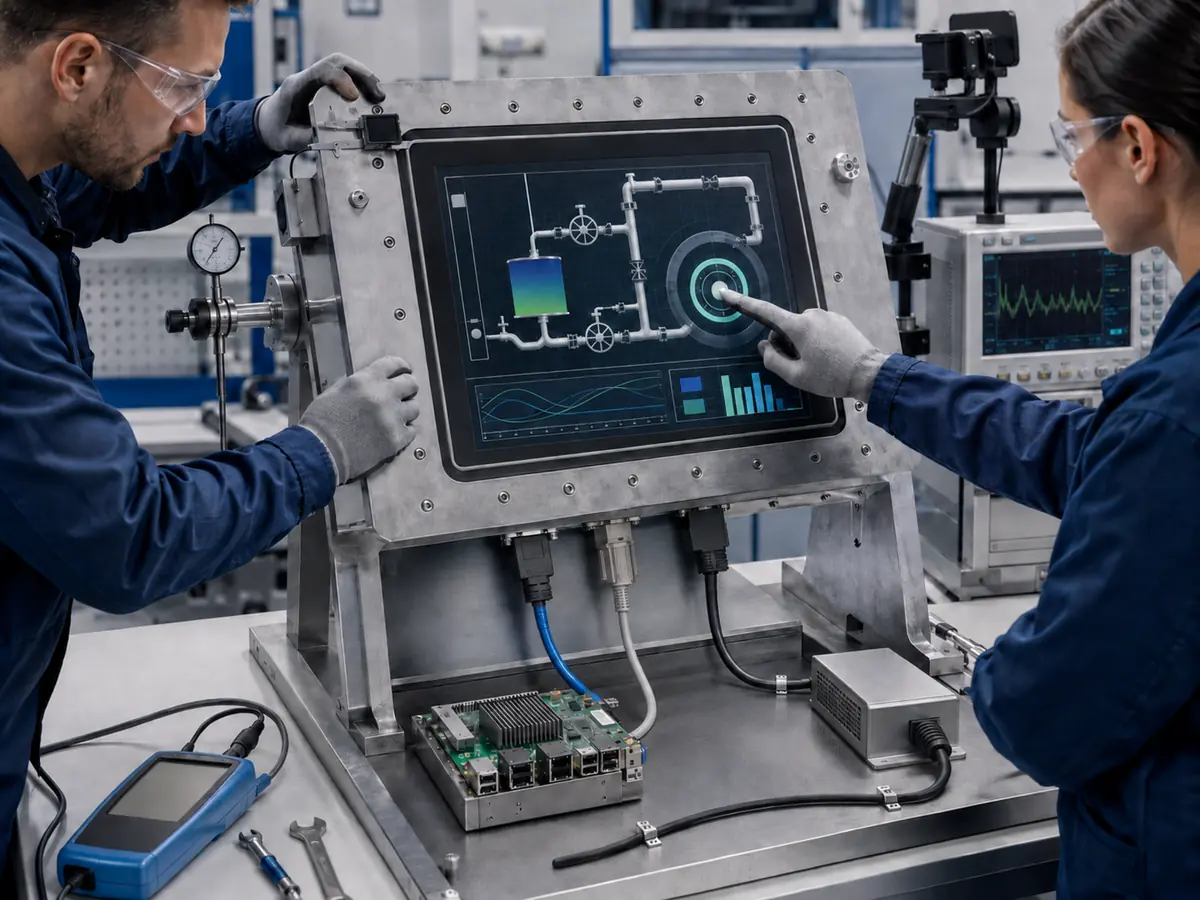
A useful comparison converts the requirement matrix into evidence. Marketing labels and maximum values are insufficient because two panels with similar headline specifications can differ in timing, viewing characteristics, connector direction, temperature behavior, change control, and production status.
Direct answer: Compare candidates line by line against mandatory requirements, record every exception, and request evidence for the exact model and revision. Evaluate the supplier’s engineering support, customization control, sample consistency, traceability, notification process, availability, and response to technical questions together with price and lead time.
Why Must Datasheets and Drawings Be Compared Line by Line?
Review active area, outline, thickness, weight, mounting features, connector model and position, cable direction, operating and storage limits, resolution, pixel format, timing, interface, voltage, current, backlight, luminance, contrast, viewing direction, and lifetime definitions. Note whether each value is minimum, typical, or maximum and under which conditions it was measured.
Use the current controlled datasheet and mechanical drawing for the offered revision. A family brochure or distributor summary may omit details needed for integration. Resolve inconsistent dimensions, connector names, and electrical tables before ordering a customized cable or releasing the enclosure.
What Evidence Is Needed Beyond the LCD Datasheet?
The project may also need touch-panel and controller specifications, cover-glass drawings, bonding construction, controller-board manuals, firmware identifiers, cable drawings, optical inspection criteria, reliability information, material declarations, and test reports relevant to the declared requirement.
How Should Lifecycle and Change Control Be Evaluated?
Ask about product status, normal lead time, capacity, forecast expectations, revision policy, traceability, product-change notification, end-of-life notification, last-time-buy support, and possible alternatives. Review whether the display is intended for stable industrial supply or follows a faster consumer product cycle.
Do not assume an alternative is interchangeable because its size and interface names match. A panel change can affect mechanics, brightness, color, timing, power, firmware, cable, touch alignment, heat, EMC, and qualification. Approved alternatives require defined evidence and configuration control.
Which Customizations Should Be Evaluated Early?
Possible display-side customization includes projected capacitive or resistive touch, cover-glass shape and printing, optical or tape bonding, surface treatment, backlight enhancement, controller firmware, cable length and pinout, brackets, and open-frame construction. Each item affects cost, tooling, sample time, minimum quantity, inspection, and future replacement.
Why Should Total System Cost Be Compared Instead of Panel Price?
A lower panel price may be offset by a controller board, adapter, custom bracket, additional power supply, complex cable, software scaling, optical treatment, extended validation, or higher service risk. Conversely, a more integrated assembly may reduce engineering work but increase the scope and cost of future replacement.
How Should a Shortlist Be Scored and Approved?
Use a matrix that separates pass-or-fail requirements from weighted preferences. Mandatory interface, mechanical, temperature, compliance, and lifecycle conditions should not be hidden by a high average score for less critical features. Document assumptions and give uncertain claims a lower confidence rating until evidence is received.
Claim: A defensible supplier decision compares exact configurations, documented exceptions, change controls, lifecycle risk, and total integration cost rather than ranking panels from headline specifications alone.
4. How Should the Selected Display Be Validated and Released?
Selection is not complete when a sample produces an image on the bench. Approval requires the production-intent display subsystem to work with the final host, software, enclosure, power, cables, grounding, and operator conditions across normal operation, credible disturbances, and recovery.
Direct answer: Build samples from controlled parts, verify function and usability, run requirement-based environmental and electrical tests, review compliance impact, correct failures, repeat affected tests, and freeze the approved configuration. Release drawings, firmware, inspection criteria, supplier controls, and change rules together.
What Should Be Verified on the First Engineering Samples?
Confirm model and revision, physical dimensions, active-area alignment, connector access, cable direction, assembly pressure, backlight operation, native image, color mapping, touch coordinates, USB or I²C behavior, brightness adjustment, current consumption, and initial thermal behavior. Inspect for image defects, light leakage, bonding defects, glass errors, and cable strain.
How Should HMI Usability Be Validated?
Run representative operating, alarm, diagnostic, maintenance, startup, shutdown, and recovery tasks with intended users. Test at the actual viewing distance and angle, with expected gloves and lighting. Review the smallest text, alarm priority, trends, numeric entry, navigation, confirmations, language expansion, and unauthorized-action controls.
Which Environmental and Mechanical Tests Are Needed?
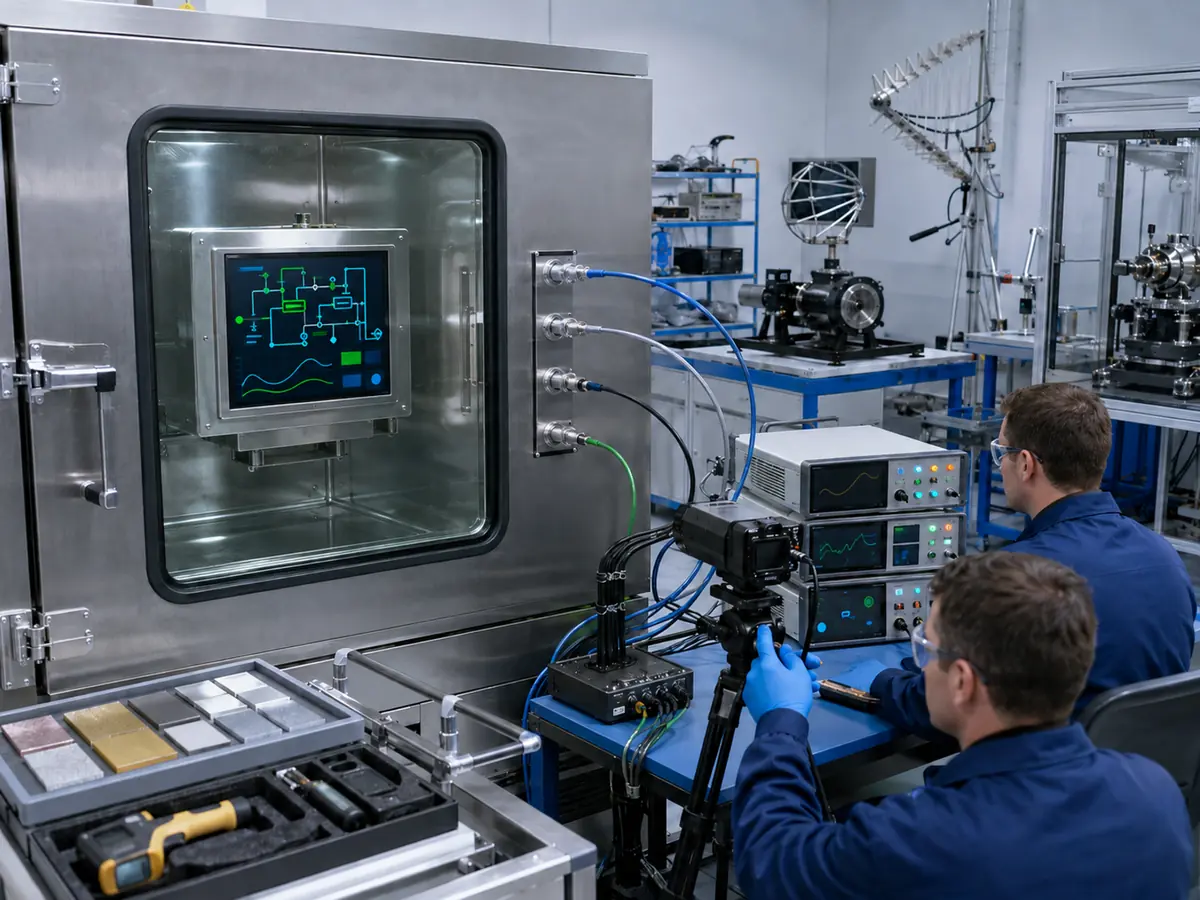
Select tests from the equipment requirement and intended installation. Depending on the project, these may cover operating and storage temperature, thermal cycling, humidity, condensation management, solar exposure, vibration, shock, cable movement, connector retention, dust, water, salt, chemicals, cleaning, transportation, and long operation.
How Should EMC, Power Disturbance, and Recovery Be Tested?
Use the production-intent cable routing, shields, grounding, enclosure, power supply, controller, host, and nearby equipment. Evaluate applicable emissions and immunity conditions, ESD, switching disturbances, supply interruption, brownout, repeated power cycles, host-first and display-first startup where credible, and communication faults.
After each event, confirm correct image timing, touch enumeration, coordinate mapping, brightness control, HMI launch, alarm state, and recovery without an unsafe or misleading screen. Record the recovery time, required intervention, event log, and any configuration that failed to restart correctly.
How Should Hazardous-Area and Equipment Compliance Be Reviewed?
The responsible equipment manufacturer and certification parties should determine how the LCD, touch, cover glass, controller, power, stored energy, enclosure, cable entries, temperature rise, fault behavior, software, and installation affect the selected protection concept and regional requirements.
A display component’s individual data does not certify the completed HMI for an explosive atmosphere. Changes after assessment may require engineering review, additional evidence, documentation updates, or renewed testing by the parties responsible for the exact equipment configuration.
What Must Be Frozen at Production Release?
Control the LCD model and revision, touch sensor, touch controller and firmware, cover glass, printing, coatings, bonding, controller board and firmware, cables, connectors, pinouts, brackets, fasteners, gasket, power circuit, backlight setting, host configuration, drivers, HMI resolution, scaling, drawings, bills of material, and approved suppliers.
Define incoming and final inspection, functional tests, golden samples, traceability, nonconformance handling, change notification, revalidation triggers, spare-parts configuration, and field replacement instructions. Production release should link every mandatory requirement to a drawing, specification, supplier record, inspection, or test result.
Claim: Display approval is complete only when the production configuration has passed requirement-based system tests and every item needed to reproduce that result is under documented change control.
5. What Advantages Does XIANHENG Offer for Oil and Gas Display Projects?
XIANHENG supports display selection for drilling controls, well-service equipment, pump and compressor packages, metering skids, pipeline stations, analyzers, refinery machinery, loading systems, offshore equipment, remote HMIs, and control-room stations. A project can begin with a requirement, a selected host, an enclosure drawing, or an existing assembly that needs replacement.
Direct answer: XIANHENG can help customers compare industrial TFT LCDs, touch technologies, cover glass, optical bonding, controller boards, firmware, customized cables, and mechanical configurations against documented project requirements. Support can include drawings, samples, inspection, replacement analysis, change coordination, and lifecycle planning. Customers can review starting options in the Industrial LCD Product Collection. Final host design, enclosure protection, functional safety, hazardous-area conformity, and equipment qualification remain with the responsible manufacturer and certification parties.
How Can XIANHENG Support the Requirements Review?
Customers can provide the equipment application, HMI tasks, viewing distance, available opening and depth, required size and resolution, host output, touch method, glass drawing, optical conditions, environment, compliance boundary, annual demand, schedule, and lifecycle target. XIANHENG can help translate display-side needs into a comparison list.
Early review can identify conflicts such as an incompatible interface, insufficient cable clearance, excessive glass reflection, unsupported native resolution, unsuitable touch architecture, or a panel lifecycle that does not match the program. Resolving these conflicts before enclosure tooling reduces later change.
Can XIANHENG Coordinate the Complete Display Subsystem?
XIANHENG can coordinate the LCD with projected capacitive or resistive touch, customized cover glass, printing, surface treatment, bonding, controller boards, firmware, video and touch cables, and supported mechanical assembly. This helps align the active area, viewing window, touch coordinates, connectors, cable direction, and controller behavior.
When a host uses HDMI, DisplayPort, DVI, or VGA, a suitable controller solution can be reviewed for the selected LCD. When the host exposes a native interface, panel timing, mapping, voltage, connector, pinout, sequence, and backlight requirements can be compared directly.
How Can XIANHENG Support Samples and Engineering Validation?
Prototype support can range from a bare LCD sample to a bonded touch-display assembly, controller kit, customized cable set, or open-frame solution. Controlled drawings and configuration details can accompany samples so that fit, image, touch, optical, power, and startup findings can be traced to the tested build.
The customer should validate samples in the production-intent equipment with the actual host, software, power, grounding, enclosure, lighting, gloves, environmental conditions, and compliance plan. XIANHENG can review display-side findings and coordinate agreed changes before production approval.
Can XIANHENG Support Replacement and Lifecycle Planning?
For an existing system, customers can provide the original LCD, touch, controller and cable models; datasheets; drawings; photographs; host output; software resolution; firmware information; current symptoms; annual demand; and service target. XIANHENG can compare candidates across mechanics, electronics, optics, touch, environment, and availability.
If a direct replacement is unavailable, the project can define a controlled redesign, affected drawings, firmware changes, and required revalidation. Supply planning can also consider forecasts, approved configurations, change notices, safety stock, alternatives, and end-of-life response.
What Information Should Customers Send to Start?
Useful inputs include the equipment type, display location, operator tasks, viewing distance, HMI screenshots, preferred size, available opening and depth, native resolution, host interface, operating system, touch method, gloves, cover-glass drawing, brightness, temperature, moisture, salt, chemicals, vibration, EMC conditions, power, hazardous or non-hazardous area, annual quantity, schedule, and required service period.
To discuss an oilfield HMI, drilling-control display, pump or compressor touchscreen, pipeline-station LCD, offshore monitor, customized display assembly, controller solution, or obsolete-panel replacement, please reach out to XIANHENG.
Claim: XIANHENG supports oil and gas display selection by coordinating requirements, panels, touch, glass, bonding, controllers, firmware, cables, samples, replacement work, production controls, and supply planning while keeping final equipment responsibilities clearly defined.


